こんにちは!
初めましての人は初めまして。
___です。
Minecraft(マイクラ)のMODを実際に作りながら、読者の皆さんにも一緒に作ってもらえるような、実践型連載の第九弾!
記事タイトル通り、今回は応用編になります。
と言っても内容がより複雑になるから応用編と名付けているだけで、続きみたいなところがあります。
なぜかというと、今回は
— ブロックの複数の属性を変えられるにしよう! —
がテーマだからです。
前回の「基礎編⑥」では回転を取り扱いましたが、この回転の「方向(方角)」も属性の1つです。
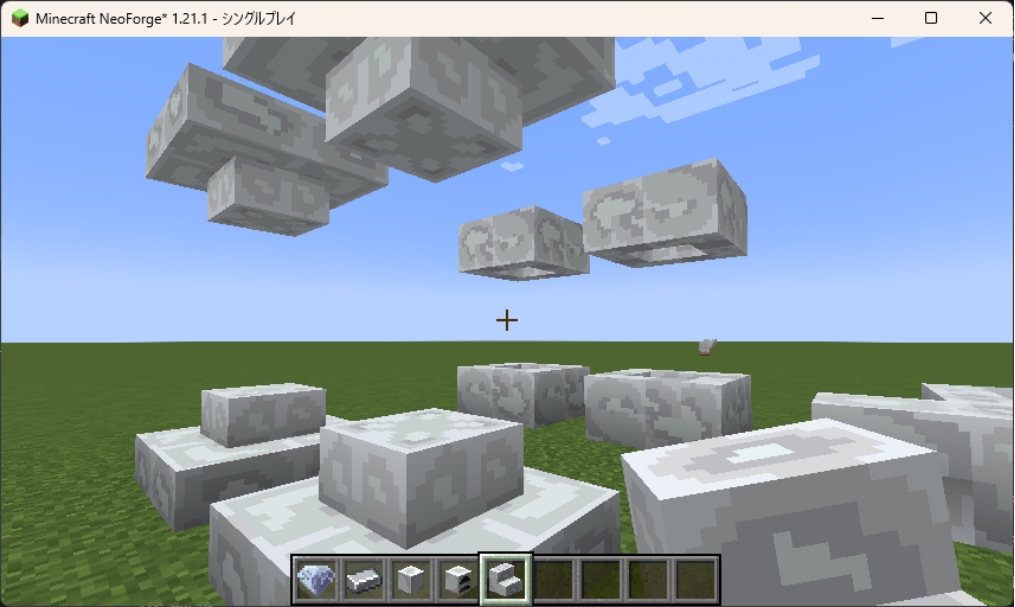
今回作ろうと思うのは・・・「鋼鉄の階段」
マイクラの階段、シンプルだけどかなり多機能です。
見てる方向に合わせて置く向きが変わる。
対象のブロックの上半分か下半分かをクリックしたかで置き方が上下さかさまになる。
隣のブロックが階段なら繋がる。
という具合に、かなり変化するブロックなのです。
その変化のために、いろいろな属性が必要になります。
それを一緒に作っていきましょう!
ということで今回も、
Let’s Minecraft Mod Life!
※注意※
応用編では、筆者の間違えた部分もそのまま記載します。
なので載っているコードが全て正しいわけではないこと、ご理解ください。
また、基礎編を踏まえて説明を省略することもあります。
それをご理解の上、一緒に研究する感覚で、一緒に作っていただければと思います!
準備
まず、今回の目標は「鋼鉄の階段」。
ということでまずはモデルの読み込みです。
ここに、筆者が作ったブロック素材があります。
ブロック用のモデルとテクスチャです。
(ダウンロード・私的利用は自由です)
ダウンロードはリンクを押すと自動でダウンロードが始まります。
今回はこれを使って進めていきます!
ダウンロードしたら解凍。
入っているファイルは、
- steel_stairs.json
- steel_stairs_inner.json
- steel_stairs_outer.json
- steel_stairs_lower_texture.png
- steel_stairs_upper_texture.png
- steel_stairs_inner_lower_texture.png
- steel_stairs_inner_upper_texture.png
- steel_stairs_outer_lower_texture.png
- steel_stairs_outer_upper_texture.png
- steel_stairs_outer_upper_2_texture.png
です。
今回作成したブロックは、上部と下部で別のテクスチャを使っています。
(これも「一つのブロックで複数のテクスチャってできるのかな?」の練習でした)
なのでファイルが多いです。
ブロックの準備
これのJSONファイル3つを「models」フォルダの中の「block」フォルダの中に入れましょう。
残ったPNGファイル7つは「textures」フォルダの中の「block」フォルダの中に入れましょう。
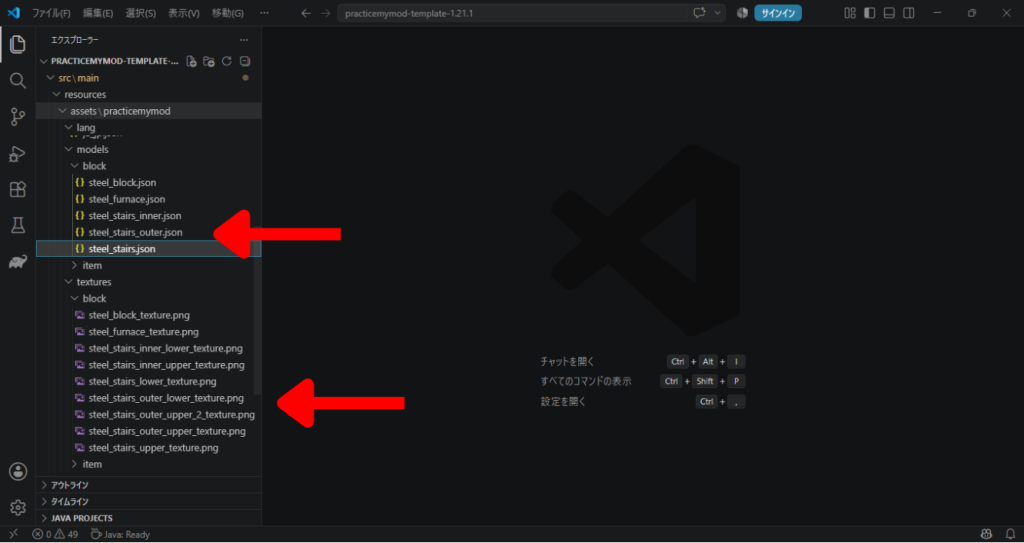
入れられたらモデルのデータの中身を変更して、テクスチャと紐づけしましょう。
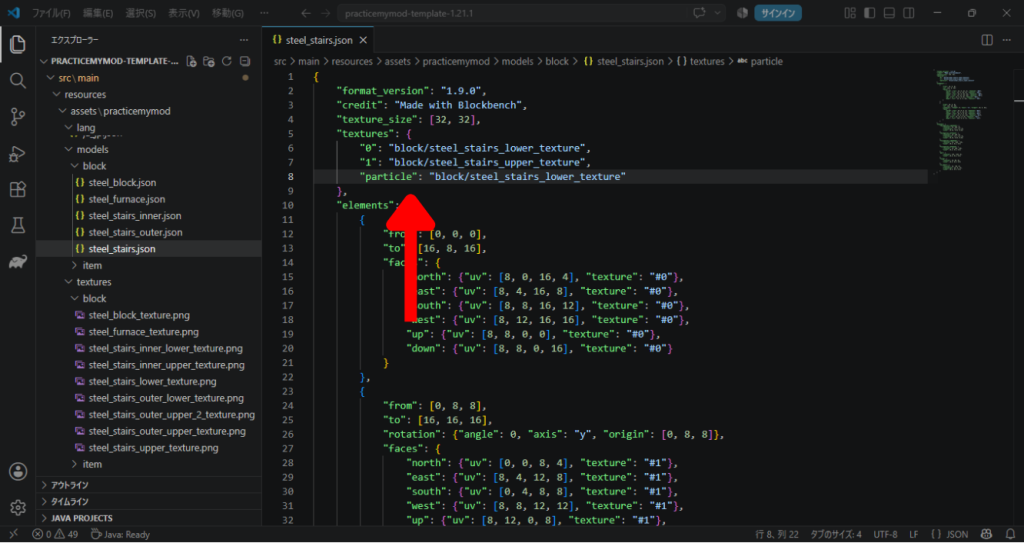
「steel_stairs.json」から。
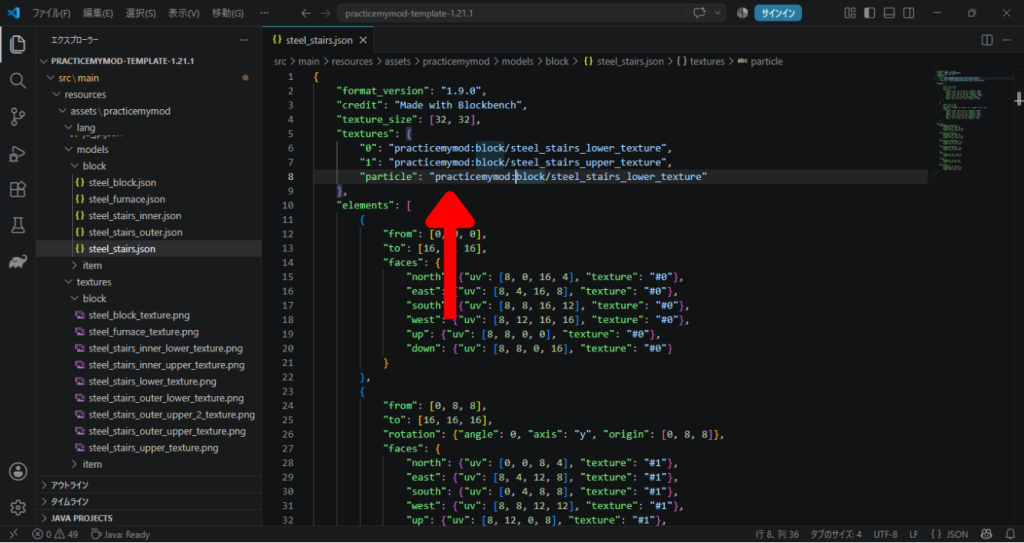
左の部分を右のように直しましょう。
(practicemymodの部分は自分のModのIDを使いましょう)
"textures": {
	"0": "block/steel_stairs_lower_texture",
	"1": "block/steel_stairs_upper_texture",
	"particle": "block/steel_stairs_lower_texture"
},
"textures": {
"0": "practicemymod:block/steel_stairs_lower_texture",
"1": "practicemymod:block/steel_stairs_upper_texture",
"particle": "practicemymod:block/steel_stairs_lower_texture"
},
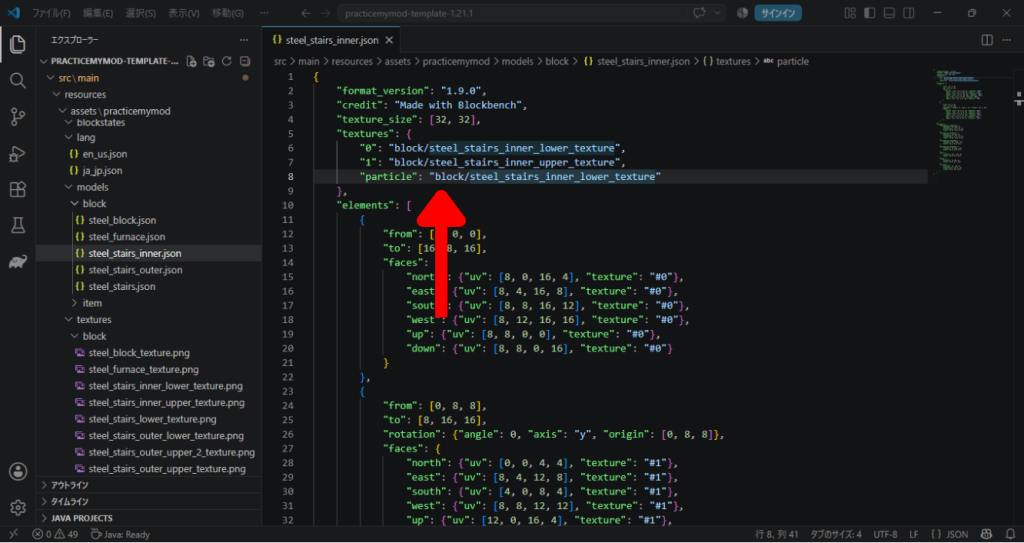
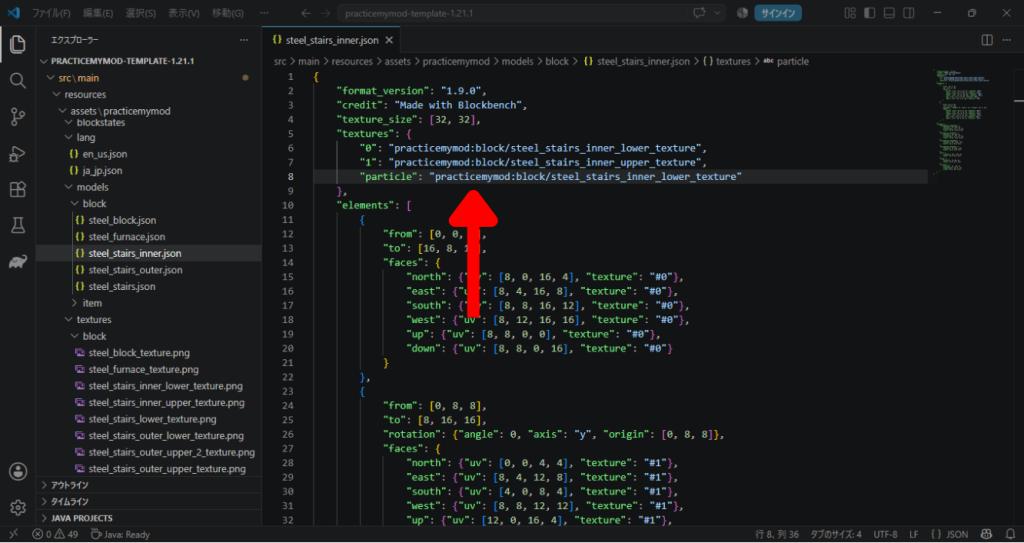
「steel_stairs_inner.json」も同様です。
"textures": {
	"0": "block/steel_stairs_inner_lower_texture",
	"1": "block/steel_stairs_inner_upper_texture",
	"particle": "block/steel_stairs_inner_lower_texture"
},
"textures": {
"0": "practicemymod:block/steel_stairs_inner_lower_texture",
"1": "practicemymod:block/steel_stairs_inner_upper_texture",
"particle": "practicemymod:block/steel_stairs_inner_lower_texture"
},
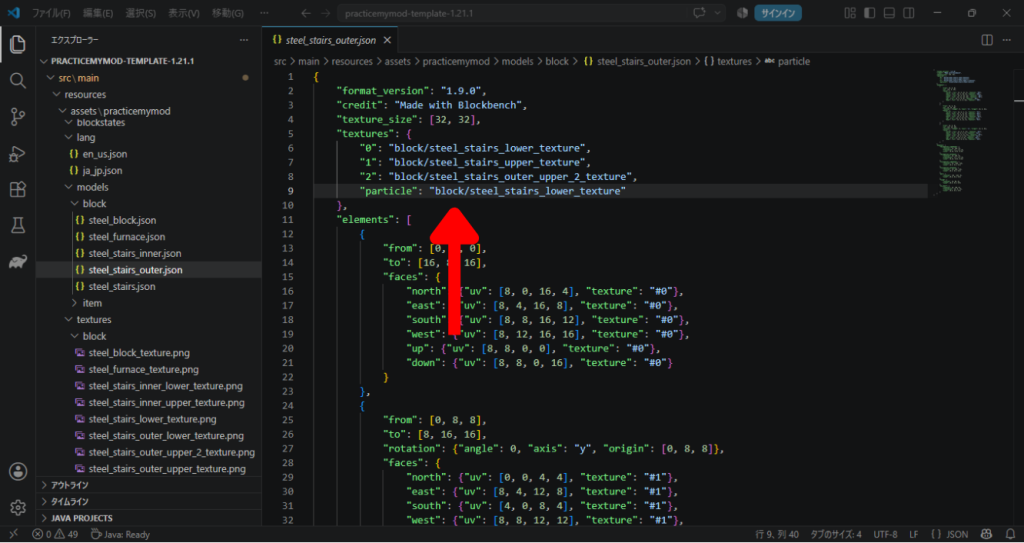
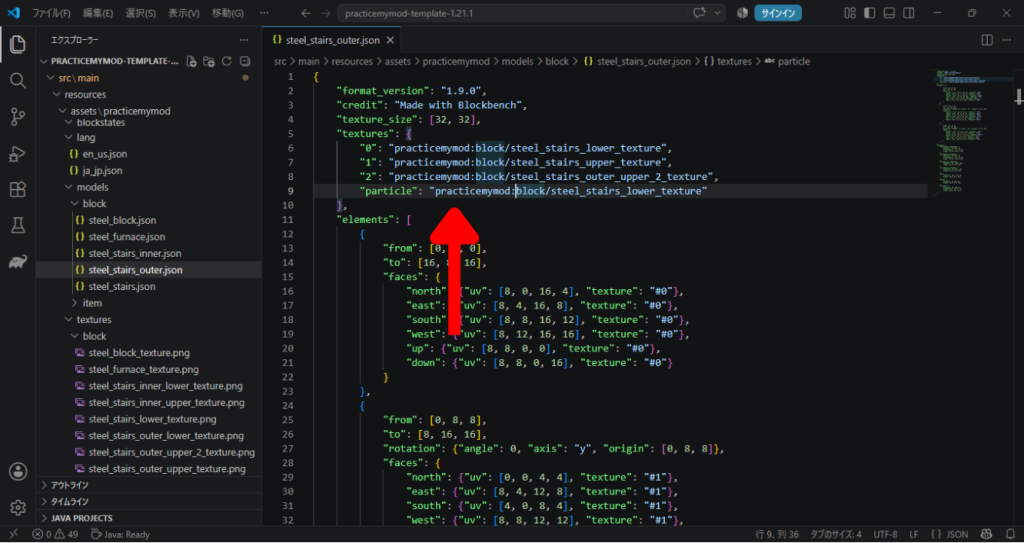
「steel_stairs_outer.json」も同様です。
"textures": {
	"0": "block/steel_stairs_lower_texture",
	"1": "block/steel_stairs_upper_texture",
	"2": "block/steel_stairs_outer_upper_2_texture",
	"particle": "block/steel_stairs_lower_texture"
},
"textures": {
"0": "practicemymod:block/steel_stairs_lower_texture",
"1": "practicemymod:block/steel_stairs_upper_texture",
"2": "practicemymod:block/steel_stairs_outer_upper_2_texture",
"particle": "practicemymod:block/steel_stairs_lower_texture"
},
これでブロックの準備はOKです。
ブロック登録の準備
ブロックを登録していく前に、準備しなければいけないものがあります。
前回の回転の時、「RotatableBlock.java」を作成し、ブロックの情報に「方向」の情報を追加しました。
そのうえで「ModBlocks.java」で、ここで作った「RotatableBlock」を使ってブロックを登録しました。
そんな感じで、今回は「方向に追加して、上下の判定も取れるようにする」ための、専用のブロッククラスが必要になります。
じゃぁ「方向と上下の判定が取れるようなファイルを作ればいい」のかって?
それで正解です!
でもなんだか筆者的には気持ちよくない。
なぜって、「今度は上下だけの判定が欲しいブロックが出てきたときにはまた今度はそれ用のを作るのか」というところです。
なんだかスマートじゃない気がするんですよね。
ということで!
「上下だけ判定する用のブロッククラス」を作っておいて、「別のファイルからそれを読み出して方向の処理と合体させよう!」ということにしました。
そのために「HalfBlock.java」と「RotatableHalfBlock.java」の2つのファイルを作ります。
でもこれで上下の時は「HalfBlock」の方でブロックを定義し、今回のような方向と上下の時は「RotatableHalfBlock」の方でブロックを定義すればよいということになります!
ということで早速「HalfBlock.java」の方から作っていきます。
階層はこんな感じ。
src/
 └─ main/
     └─ java/
         └─ com/
             └─ mypractice/
                 └─ mymod/
                     └─ blockclass/
                     |  ├─ HalfBlock.java          ← 今回作るJavaファイル
                     |  ├─ RotatableBlock.java
                     |  └─ RotatableHalfBlock.java ← 今回作るJavaファイル
                     ├─ AddExistingCreativeModeTab.java
                     ├─ Config.java
                     ├─ ModBlocks.java
                     ├─ ModCreativeModeTabs.java
                     ├─ ModItems.java
                     ├─ PracticeMyMod.java
                     └─ PracticeMyModClient.java
「HalfBlock.java」を作って、
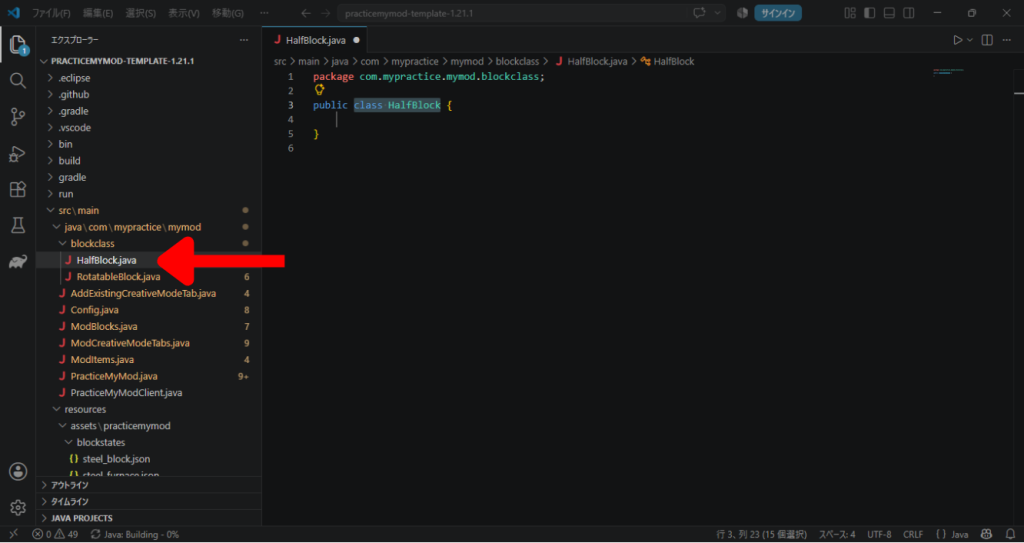
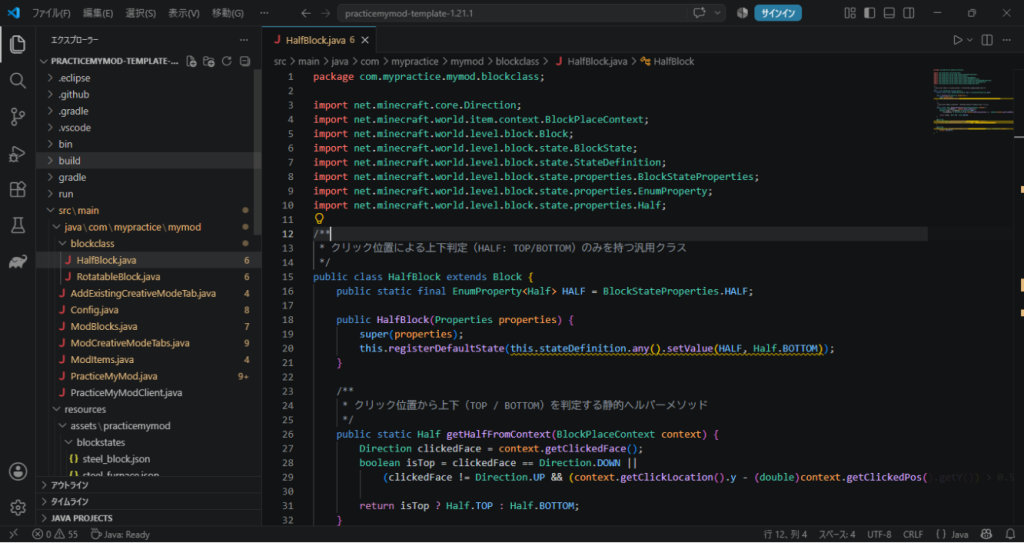
内容を以下のように書きます。
(最初の行の「com.mypractice.mymod」の部分は、自分のフォルダ階層の名前に合わせてください。)
package com.mypractice.mymod.blockclass;

import net.minecraft.core.Direction;
import net.minecraft.world.item.context.BlockPlaceContext;
import net.minecraft.world.level.block.Block;
import net.minecraft.world.level.block.state.BlockState;
import net.minecraft.world.level.block.state.StateDefinition;
import net.minecraft.world.level.block.state.properties.BlockStateProperties;
import net.minecraft.world.level.block.state.properties.EnumProperty;
import net.minecraft.world.level.block.state.properties.Half;

/**
 * クリック位置による上下判定(HALF: TOP/BOTTOM)のみを持つ汎用クラス
 */
public class HalfBlock extends Block {
    public static final EnumProperty<Half> HALF = BlockStateProperties.HALF;

    public HalfBlock(Properties properties) {
        super(properties);
        this.registerDefaultState(this.stateDefinition.any().setValue(HALF, Half.BOTTOM));
    }

    /**
     * クリック位置から上下(TOP / BOTTOM)を判定する静的ヘルパーメソッド
     */
    public static Half getHalfFromContext(BlockPlaceContext context) {
        Direction clickedFace = context.getClickedFace();
        boolean isTop = clickedFace == Direction.DOWN ||
            (clickedFace != Direction.UP && (context.getClickLocation().y - (double)context.getClickedPos().getY()) > 0.5D);

        return isTop ? Half.TOP : Half.BOTTOM;
    }

    @Override
    public BlockState getStateForPlacement(BlockPlaceContext context) {
        return this.defaultBlockState().setValue(HALF, getHalfFromContext(context));
    }

    @Override
    protected void createBlockStateDefinition(StateDefinition.Builder<Block, BlockState> builder) {
        builder.add(HALF);
    }
}
これで上下の判定用のクラスができたので、今度は本命の「RotatableHalfBlock.java」です。
まずはファイルを作って、
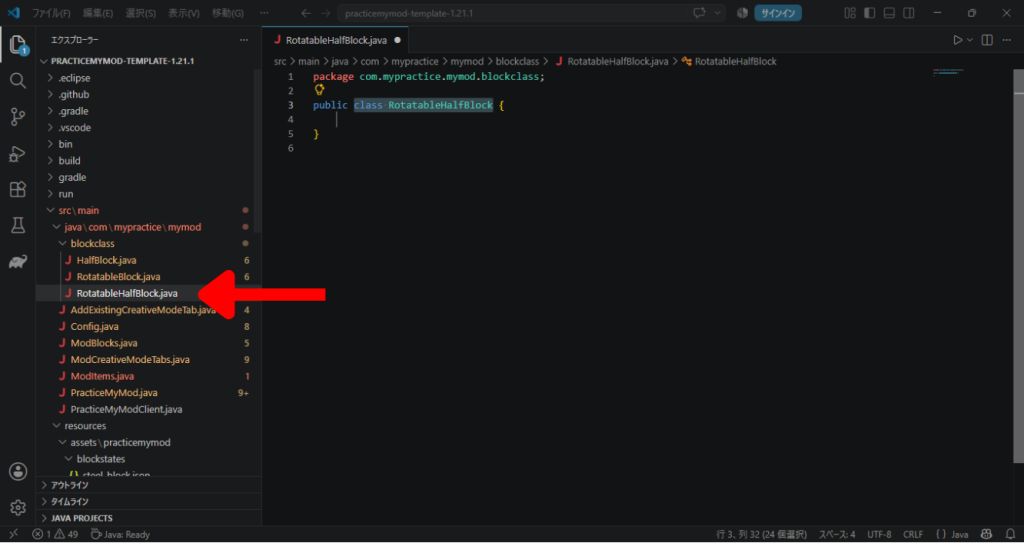
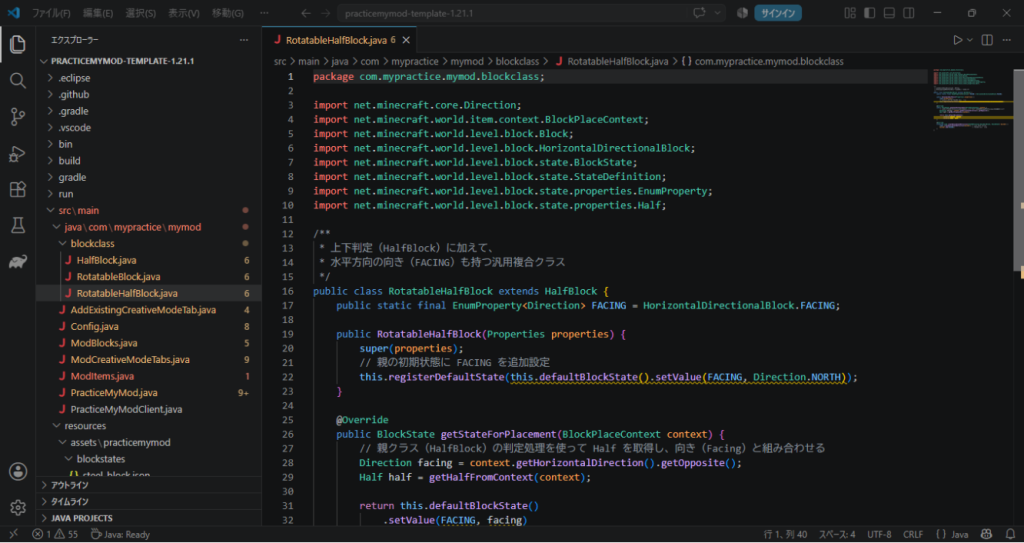
内容を以下のように書きます。
(最初の行の「com.mypractice.mymod」の部分は、自分のフォルダ階層の名前に合わせてください。)
package com.mypractice.mymod.blockclass;

import net.minecraft.core.Direction;
import net.minecraft.world.item.context.BlockPlaceContext;
import net.minecraft.world.level.block.Block;
import net.minecraft.world.level.block.HorizontalDirectionalBlock;
import net.minecraft.world.level.block.state.BlockState;
import net.minecraft.world.level.block.state.StateDefinition;
import net.minecraft.world.level.block.state.properties.EnumProperty;
import net.minecraft.world.level.block.state.properties.Half;

/**
 * 上下判定(HalfBlock)に加えて、
 * 水平方向の向き(FACING)も持つ汎用複合クラス
 */
public class RotatableHalfBlock extends HalfBlock {
    public static final EnumProperty<Direction> FACING = HorizontalDirectionalBlock.FACING;

    public RotatableHalfBlock(Properties properties) {
        super(properties);
        // 親の初期状態に FACING を追加設定
        this.registerDefaultState(this.defaultBlockState().setValue(FACING, Direction.NORTH));
    }

    @Override
    public BlockState getStateForPlacement(BlockPlaceContext context) {
        // 親クラス(HalfBlock)の判定処理を使って Half を取得し、向き(Facing)と組み合わせる
        Direction facing = context.getHorizontalDirection().getOpposite();
        Half half = getHalfFromContext(context);

        return this.defaultBlockState()
            .setValue(FACING, facing)
            .setValue(HALF, half);
    }

    @Override
    protected void createBlockStateDefinition(StateDefinition.Builder<Block, BlockState> builder) {
        super.createBlockStateDefinition(builder); // 親の HALF を登録
        builder.add(FACING);                       // FACING を追加登録
    }
}
これで、「ModBlocks.java」でブロックを登録する準備ができました!
ブロックの登録
「ModBlocks.java」にブロックを登録する
準備ができたら早速ブロックとして登録していきましょう。
まずは「ModBlocks.java」を開きます。
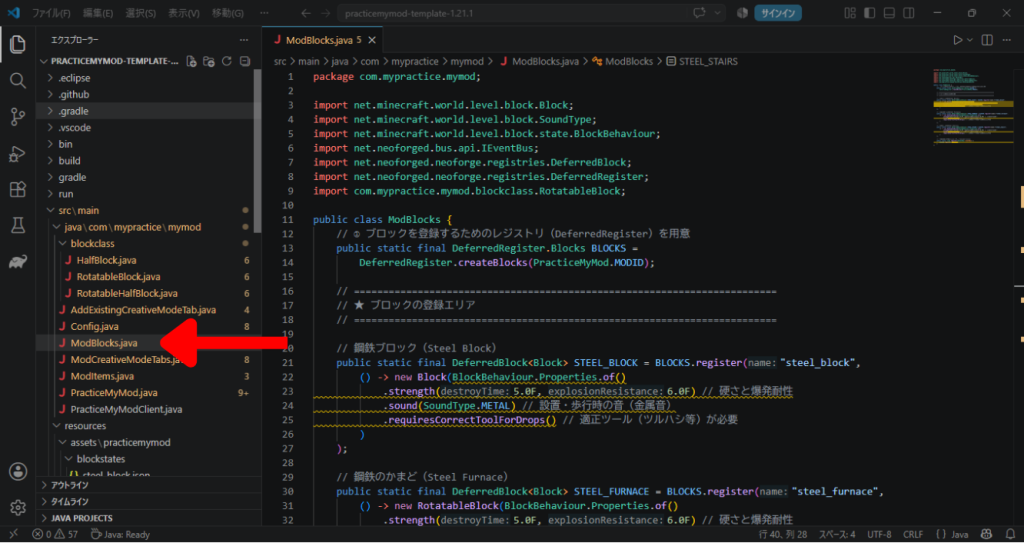
ここで、新しく使うために作った「RotatableHalfBlock」を読み込みましょう。
(以下のコードも、「com.mypractice.mymod」の部分は自分の環境に合わせて直しましょう)
import com.mypractice.mymod.blockclass.RotatableHalfBlock;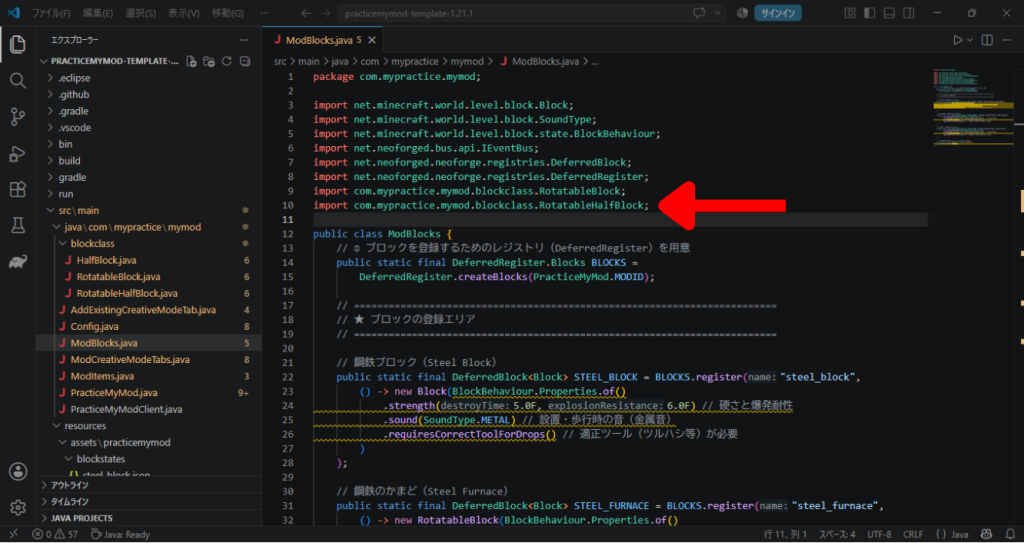
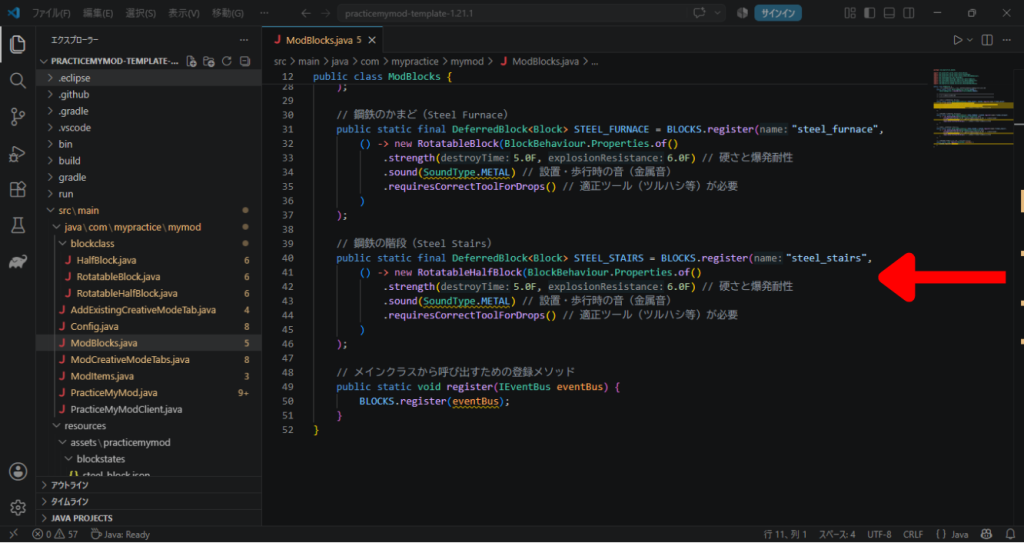
そのうえで、他のブロックが登録されている下に、以下を追記しましょう。
// 鋼鉄の階段(Steel Stairs)
public static final DeferredBlock<Block> STEEL_STAIRS = BLOCKS.register("steel_stairs",
    () -> new RotatableHalfBlock(BlockBehaviour.Properties.of()
        .strength(5.0F, 6.0F) // 硬さと爆発耐性
        .sound(SoundType.METAL) // 設置・歩行時の音(金属音)
        .requiresCorrectToolForDrops() // 適正ツール(ツルハシ等)が必要
    )
);
これで「ModBlocks.java」への登録は終わりです。
ブロック状態(blockstates)の設定
次はブロックの状態と、それに対応した見え方を登録していきましょう。
まずは「blockstates」フォルダの中に「steel_stairs.json」を作りましょう。
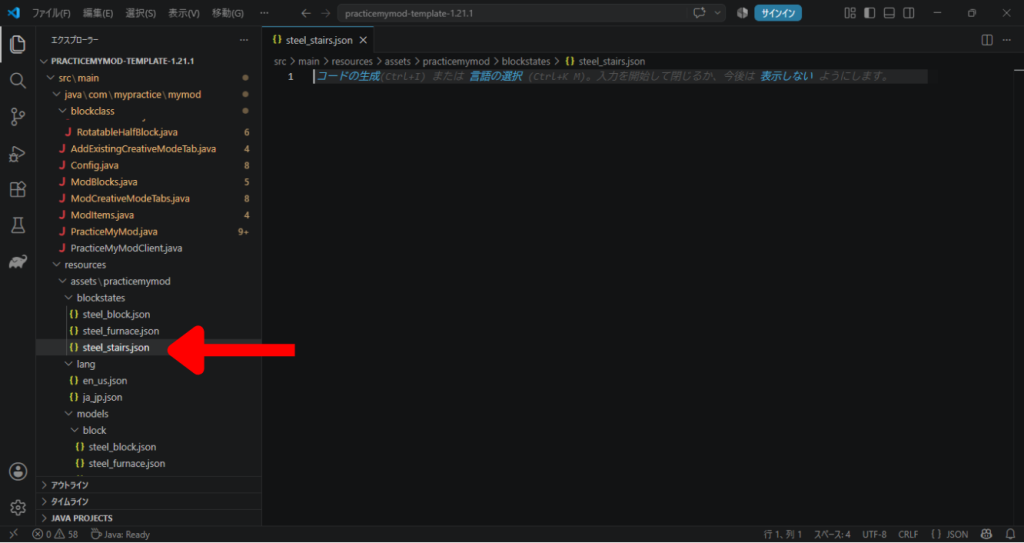
その中には、以下のように書きましょう。
(すべての「practicemymod」の部分は、自分のModのIDにしましょう)
{
  "variants": {
    "facing=north,half=bottom": { "model": "practicemymod:block/steel_stairs" },
    "facing=south,half=bottom": { "model": "practicemymod:block/steel_stairs", "y": 180 },
    "facing=west,half=bottom":  { "model": "practicemymod:block/steel_stairs", "y": 270 },
    "facing=east,half=bottom":  { "model": "practicemymod:block/steel_stairs", "y": 90 },

    "facing=north,half=top": { "model": "practicemymod:block/steel_stairs", "x": 180},
    "facing=south,half=top": { "model": "practicemymod:block/steel_stairs", "x": 180, "y": 180 },
    "facing=west,half=top":  { "model": "practicemymod:block/steel_stairs", "x": 180, "y": 270 },
    "facing=east,half=top":  { "model": "practicemymod:block/steel_stairs", "x": 180, "y": 90 }
  }
}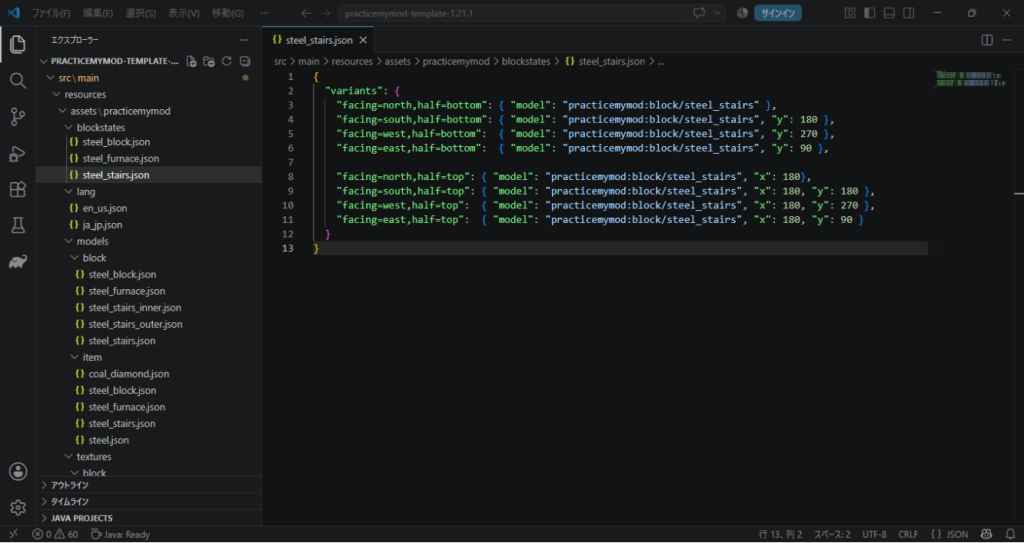
「half=bottom」や「half=top」という「half」という属性が付き、それに応じて「モデルをX軸を中心に180度回転させる(つまり反転させる)」という見た目の変更ができます。
ブロックのアイテムとしての登録
ブロックはアイテムの時の状態を別で登録しておかないといけませんね。
なので「ModItems.java」に追記していきましょう。
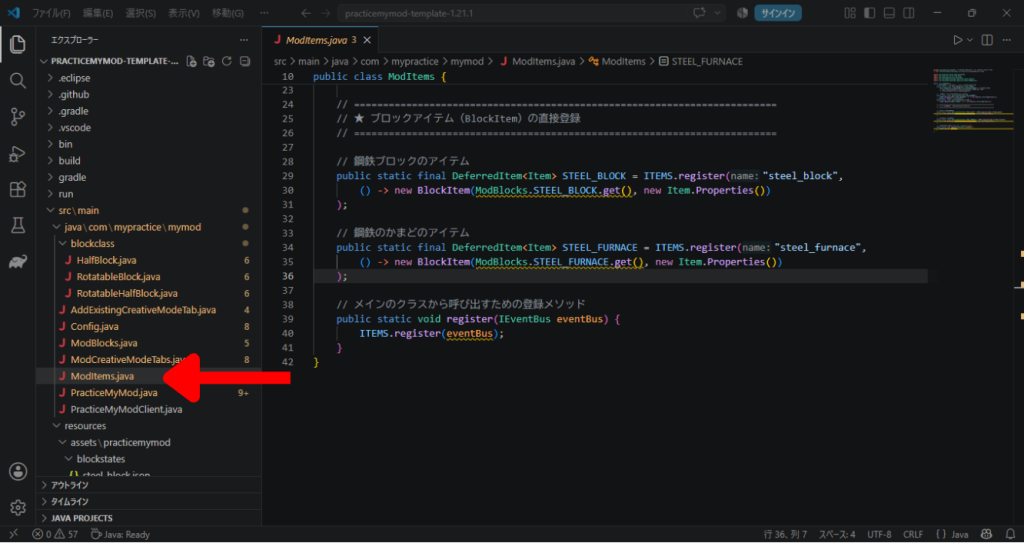
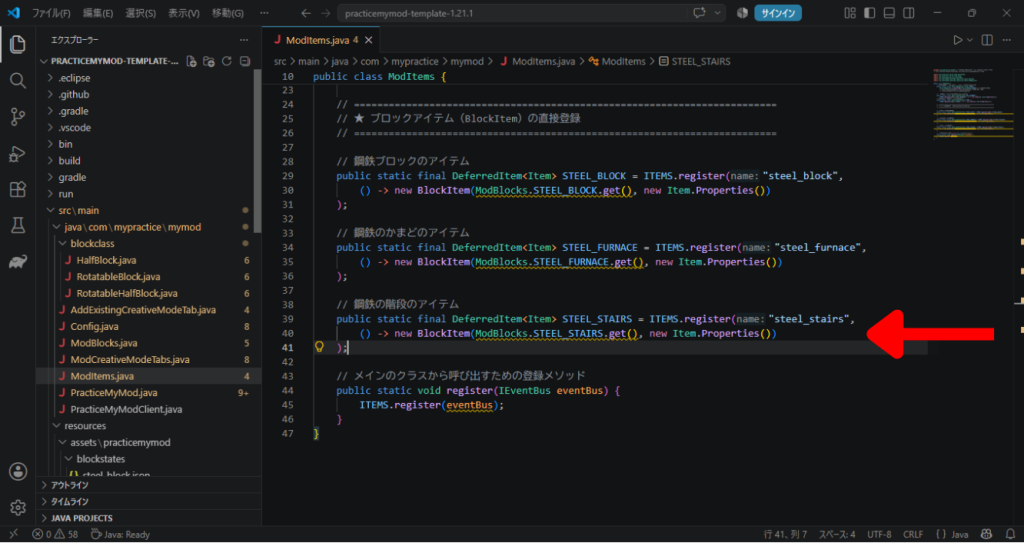
以下のように追記します。
// 鋼鉄の階段のアイテム
public static final DeferredItem<Item> STEEL_STAIRS = ITEMS.register("steel_stairs",
    () -> new BlockItem(ModBlocks.STEEL_STAIRS.get(), new Item.Properties())
);
これでアイテムとしての登録は完了です。
ブロックのアイテムとしての見た目の登録
次はアイテムとして登録したブロックの、アイテムとしての見た目です。
これはブロックの方の設定を借りましょう。
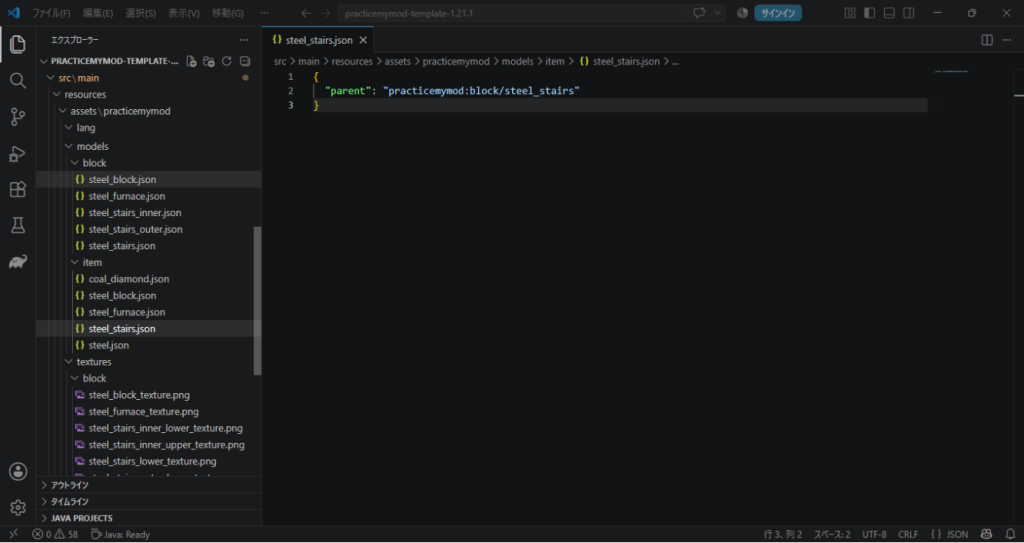
まずは「model」フォルダの中の「item」フォルダの中に「steel_stairs.json」を作ります。
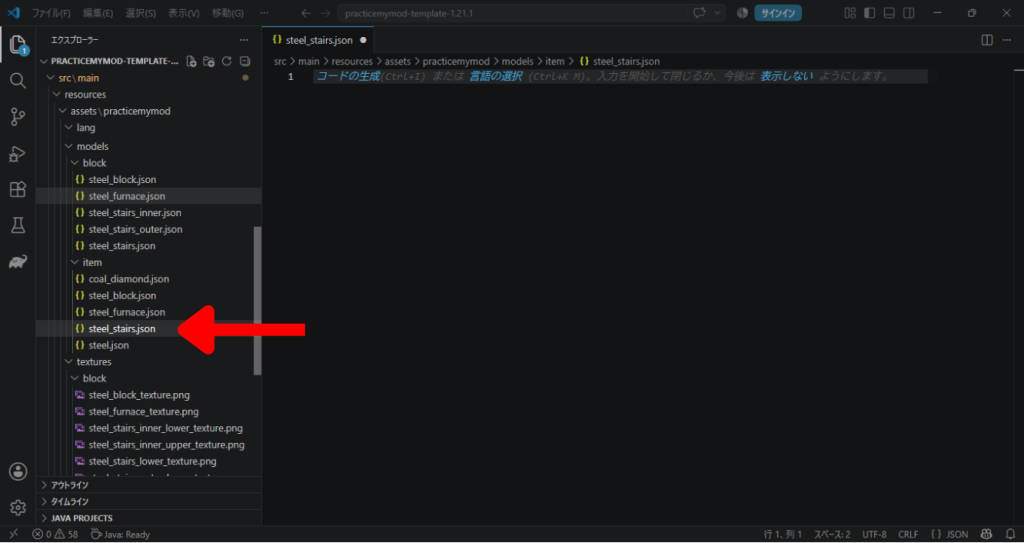
その中には、以下のように書きましょう。
{
  "parent": "practicemymod:block/steel_stairs"
}
これでアイテム時の見た目の設定もOKです。
クリエイティブタブへの登録
今度はアイテムを出せるようにしましょう。
まずは既存の「建築ブロック」タブに登録します。
「AddExistingCreativeModeTab.java」を開きます。
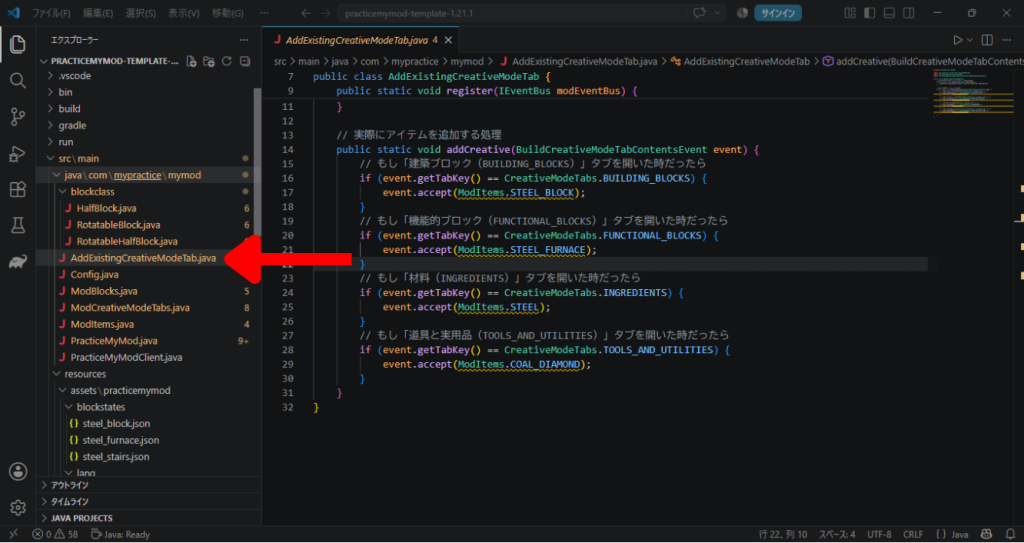
そこの「建築ブロック」を条件にしている処理の中に追記しましょう。
event.accept(ModItems.STEEL_STAIRS);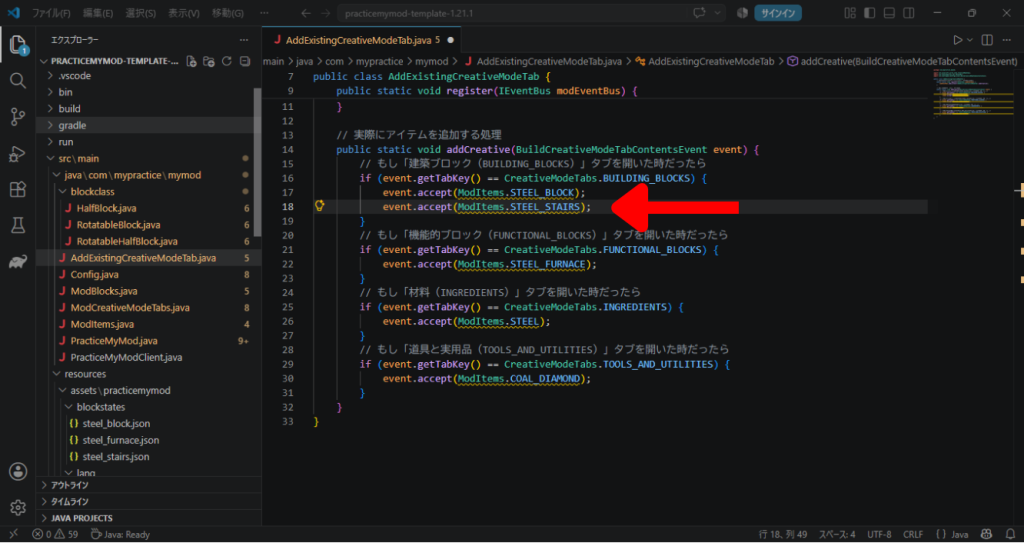
次に、オリジナルのタブにも追加しましょう。
「ModCreativeModeTabs.java」を開きます。
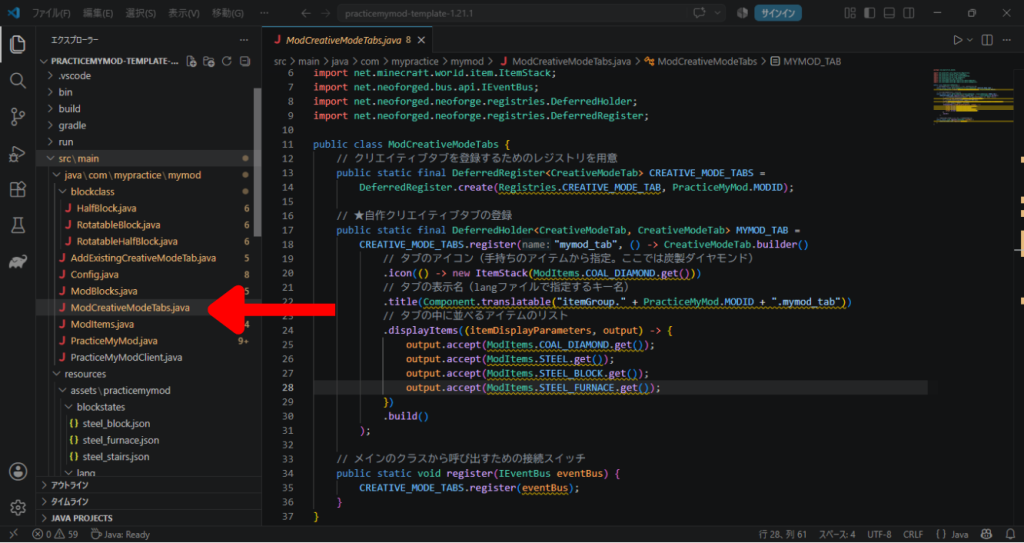
その中の他のブロックも追加しているところに、今回の分を追記しましょう。
output.accept(ModItems.STEEL_STAIRS.get());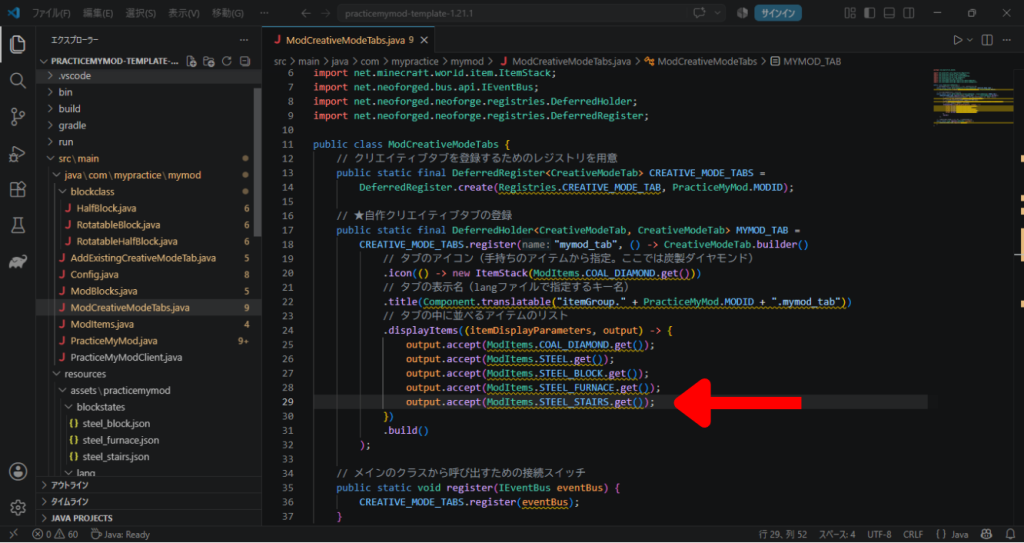
これでクリエイティブタブに登録できました。
テスト起動
ということで一連の流れ終了!
テスト起動です!
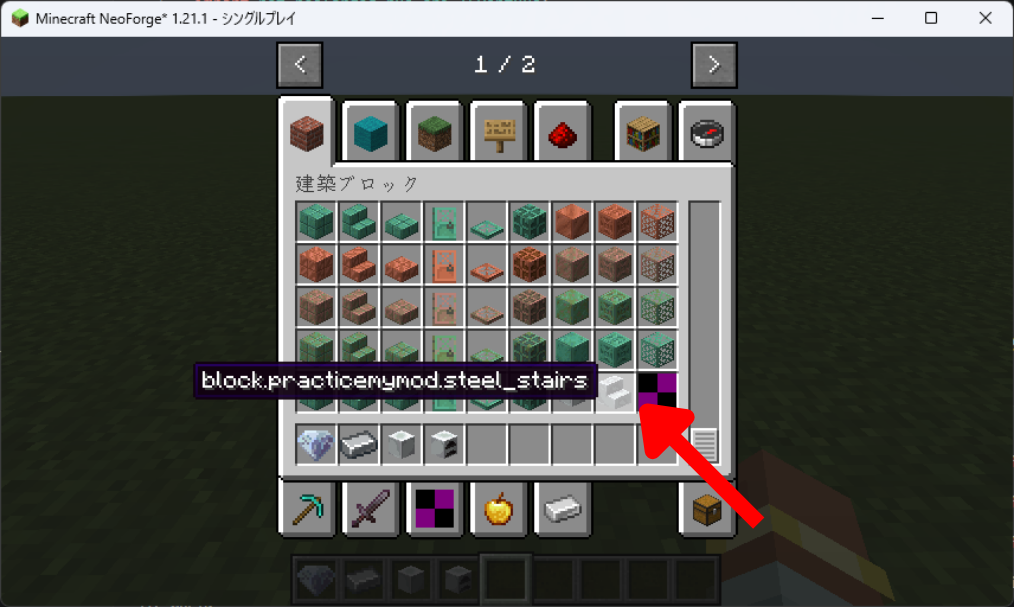
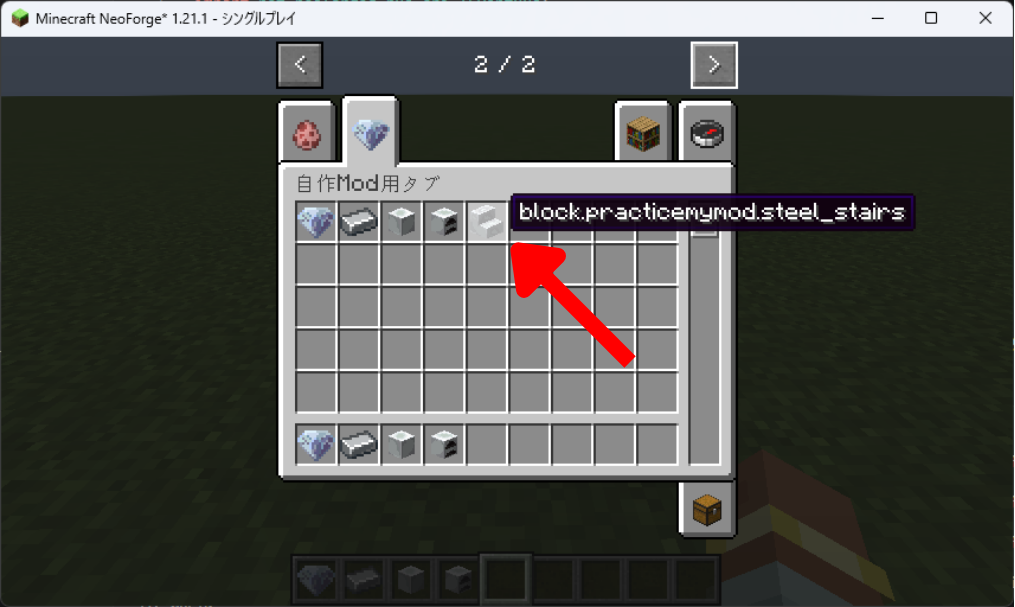
クリエイティブタブに出ていますね!
ブロック名は今回は変えていないのでIDが表示されても正常です。
ではさっそく・・・置いてみましょう!
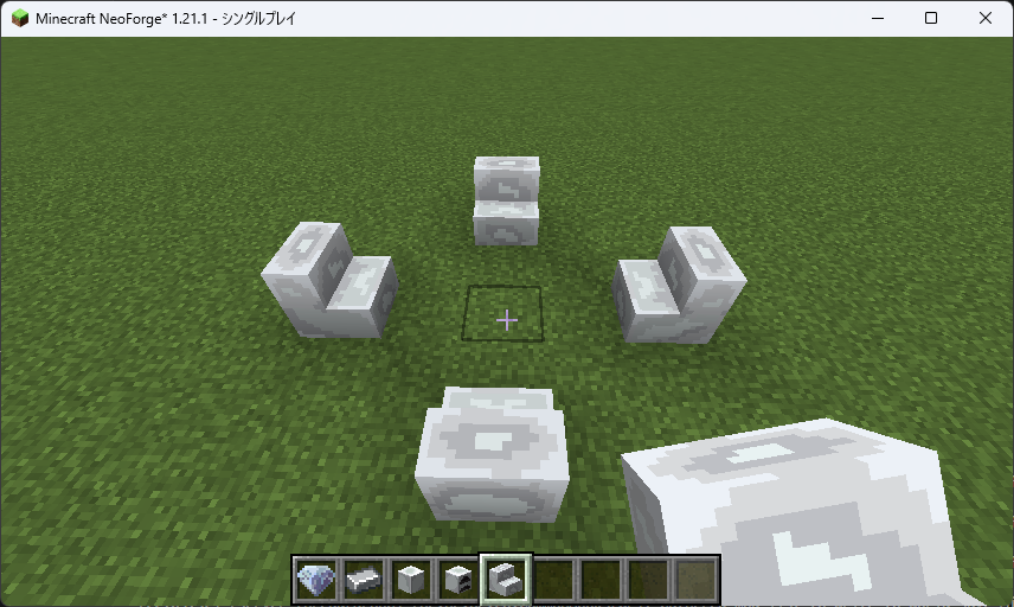
まずは置いたら自分の方を向くことを確認して、全方向に置けるか試して・・・
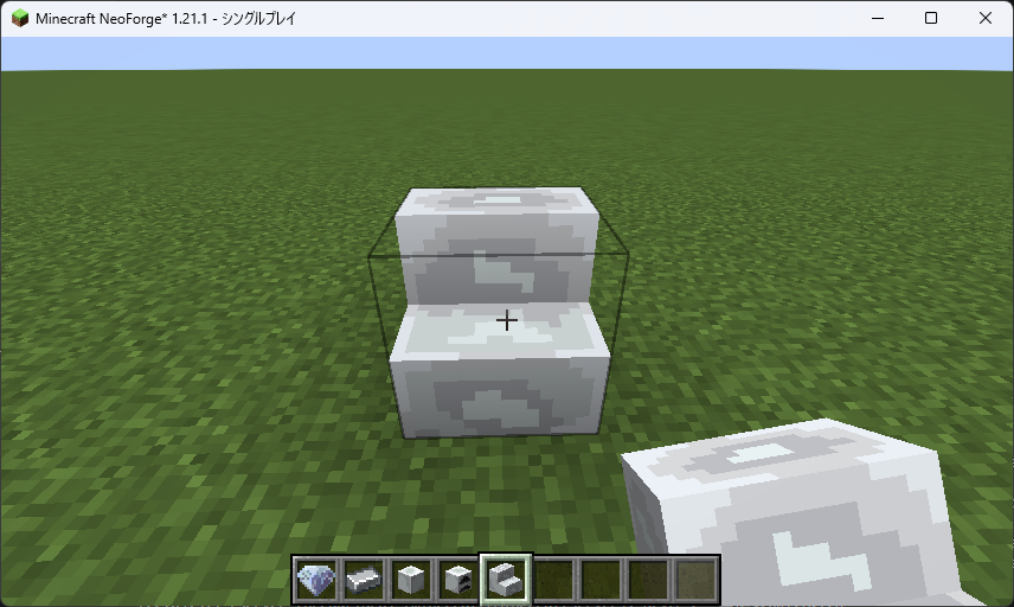
そして裏返しに置けるか試して・・・
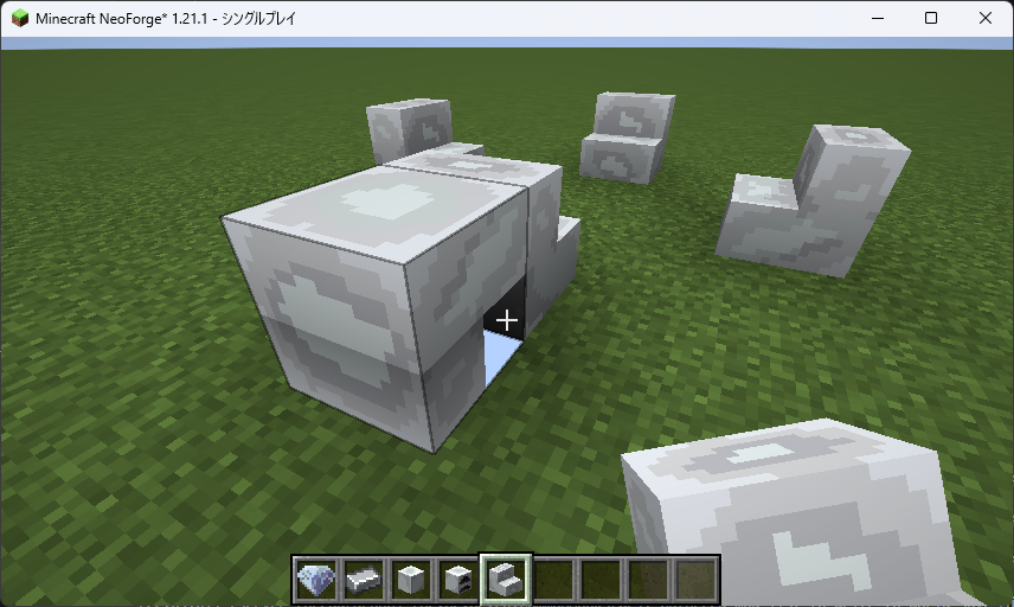
・・・
あれ~?
なんか違う方向向いちゃってるんですけど・・・。
おそらく回転する軸の問題!
ということで修正していきます・・・!
修正
回転の修正
さて、おそらく回転の軸がXではなくZだったのでしょう。
ひっくり返っているのはいいのに、反対向いちゃってますからね。
ということで「blockstates」の中の「steel_stairs.json」を修正。
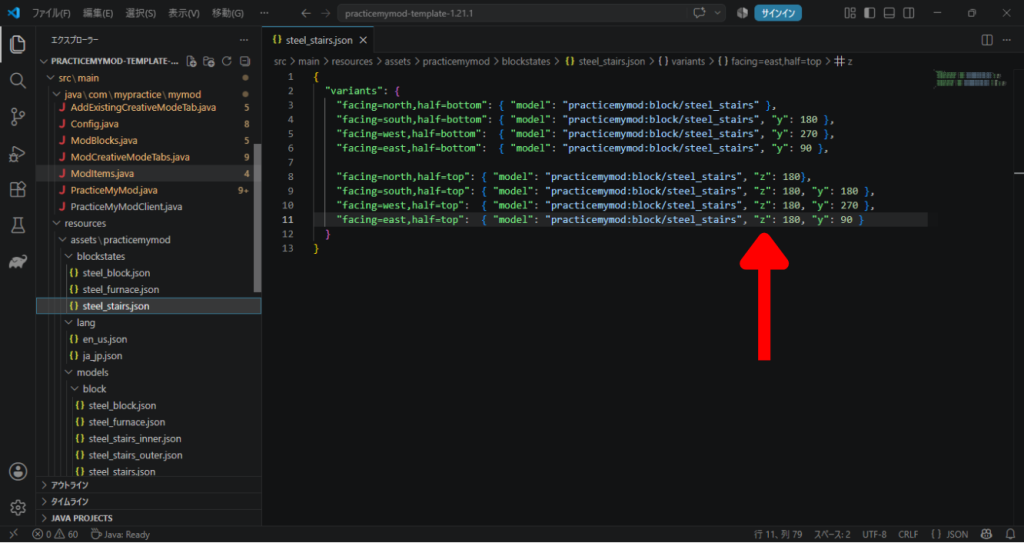
「x」だったところを全て「z」にしてみました!
果たして・・・
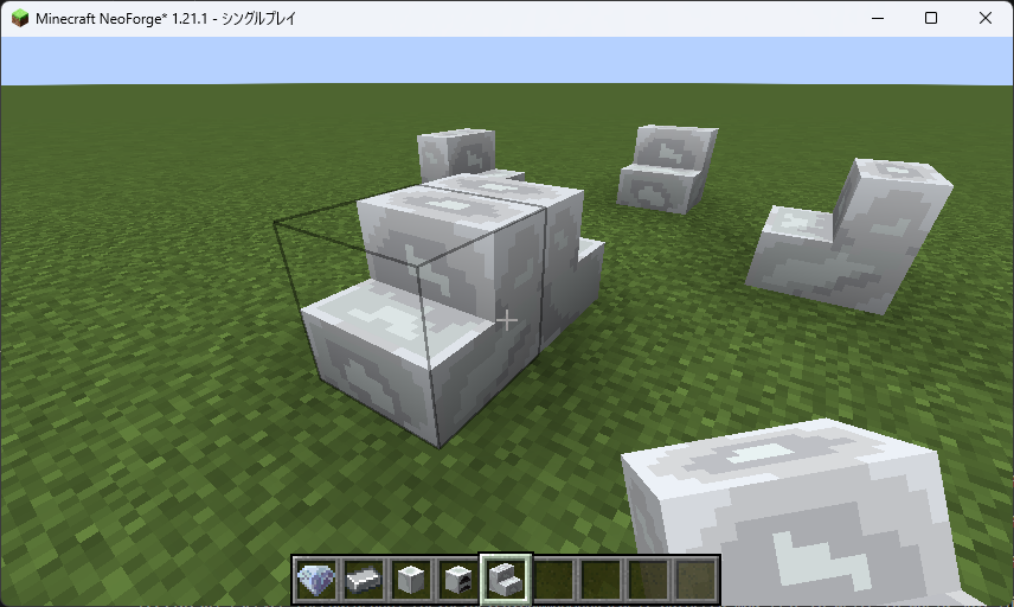
・・・あるぇ~?
なんで回転もしてないの?
あれ?回転はしてるのか?
あれ~?
・・・・・・・・・・・・。
ということで調べた(AI)のですが・・・。
どうやらマイクラのブロックに対する回転が指示できるのは「X軸」と「Y軸」だけのようです!
なんと・・・。
3次元世界なのに・・・。
まぁできないものは仕方ない。
ぶっちゃけX軸とY軸だけでZ軸回転したみたいな挙動は作れますからね!!
ということで原因が分かったので修正。
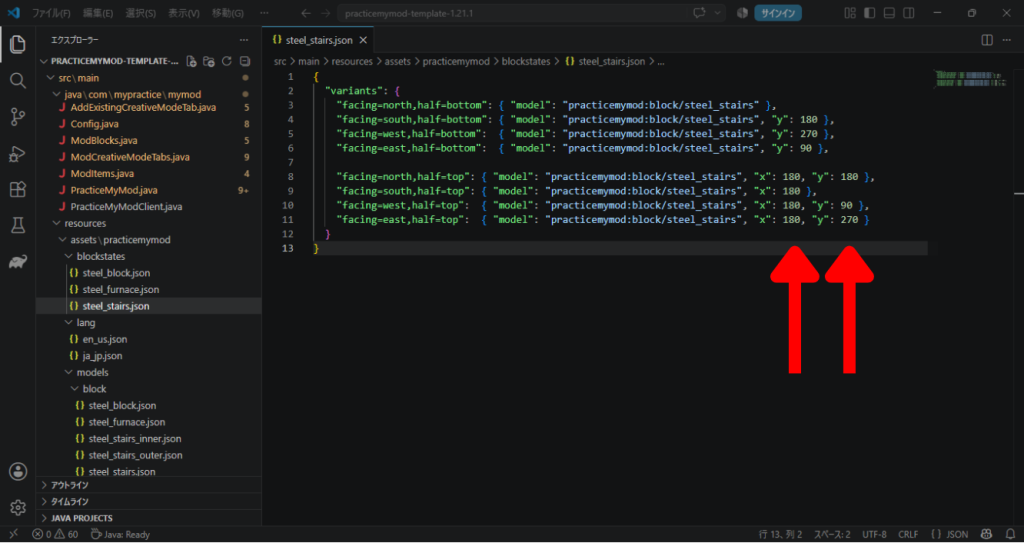
「x」は全て180度回転しつつ、「y」の方の数値を変えてあげることで、まるで「z」が回転しているように見せるわけです!
これでうまくいくかな・・・?
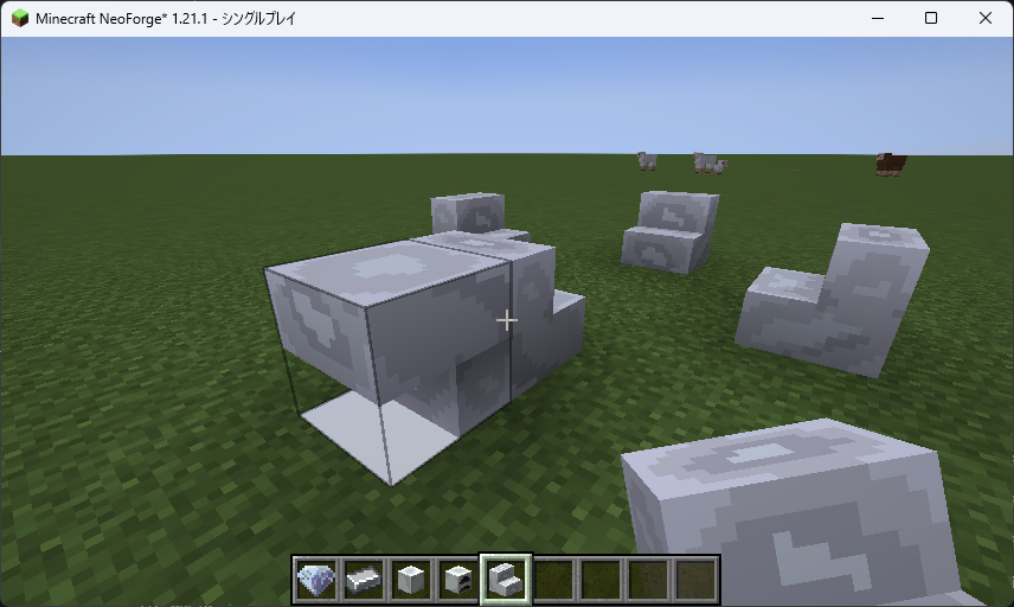
できた・・・!
・・・できた?
なんか白いのあるけど・・・。
と思いきや、時間を変えてみると、
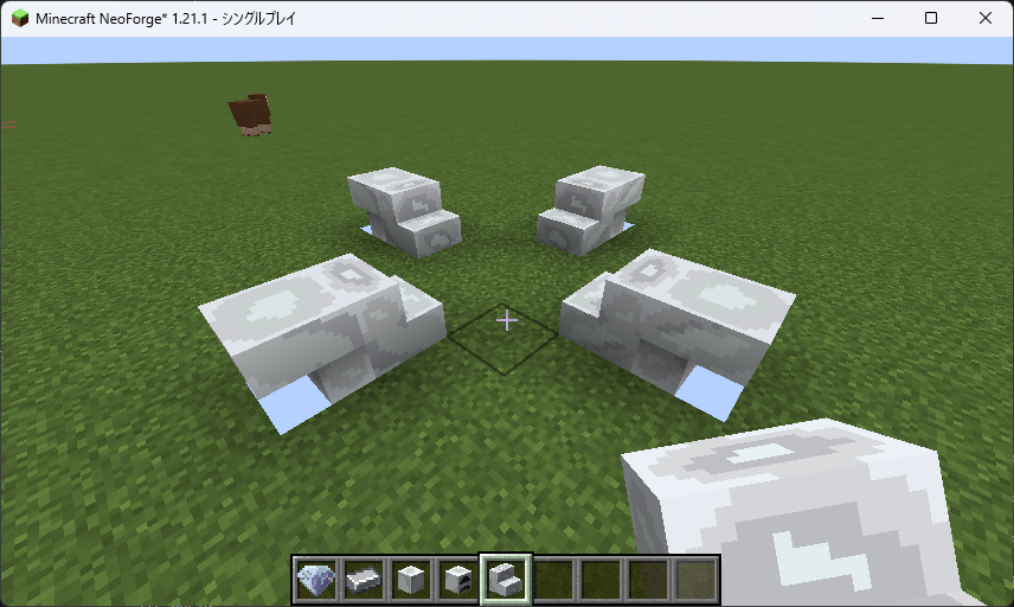
青い!
どうやらこれ、テクスチャを裏から見ていて、透明だからワールドが全部透けて、反対側の空が見えているようです。
(バグ技でよく見るやつ~)
どうやら作ったモデルの当たり判定がただの立方体であることが問題のようです。
確かに今は階段のように登ることができない。
ということで今度は当たり判定の修正だ!
(これはモデルの問題というより、システムで解決するようです)
ブレイクタイムという名のコード修正・・・
というわけで修正をかけていこうと思ったんですが、そうなると今度はまたブロッククラスとして「階段状の当たり判定をブロックにつける」というクラスが必要?という疑問が。
そのうえでコードを見直していたんですが、疑問が1つ。
私もAIさんを使ってコードを組んでいるんですが、
「RotatableHalfBlock.java」を見直しているときの事・・・。
「あれ?せっかく「RotatableBlock.java」があるのに、これ読み込んでなくね?読み込んでるの「HalfBlock.java」だけでは?」
なんでか「RotatableBlock.java」で書いたのと同じコードが「RotatableHalfBlock.java」に書いてあるんですよね。
これでは元々考えていた「分割して後で合成する」ができてなくて本末転倒じゃん!
ということでなぜかを調べ・・・。
なんと!Javaの仕様上、「Javaは単一継承(クラスを1つしかextendsできない)の仕様がある」らしいです!
つまりコードのこの部分
public class RotatableHalfBlock extends HalfBlock {ここの「extends」で「HalfBlock」を読み込んでいたわけですが、1つ読みこんでいたからもう1つの「RotatableBlock」までは読み込みできないよね!ということでAIさんがそっちの処理をほぼ丸ごとこっちにも書いていたみたいです。
なんということだ・・・。
これじゃぁ当初の目標である「それぞれのクラスを作って、都度必要な時だけ読み込んでそれ用の情報を作る」ことができないじゃないか・・・!
いや!まだ方法は何かあるはず・・・!
ということで調べ・・・。
出ました!
Javaはクラスの extends(継承)は1つだけですが、implements(インターフェース)なら何個でも同時に読み込めます。
Java 8以降はインターフェース内に default メソッド(具体的な処理)を書けるため、「機能のパーツ」をインターフェースとして作り、必要な分だけミックスイン(合体)させることができます!
とのこと。
つまり「implements」を使った書き方なら、いくつでもクラスを作っておいて、必要な物だけ合体させてカスタマイズしたクラスが作れるっていうこと!
何度も同じ処理を書かないようにすることができそうです!
まぁこの方法だと、既存の「RotatableBlock.java」も「HalfBlock.java」も内容を変更し、「RotatableHalfBlock.java」は消し、新たに「StairsBlock.java」を作らなきゃいけないんですけどね・・・。
まぁ、今後のためです。
やっていきましょう!
まずは構成の確認。
src/
 └─ main/
     └─ java/
         └─ com/
             └─ mypractice/
                 └─ mymod/
                     └─ blockclass/
                     |  ├─ HalfBlock.java          ← 今回直す「名前も変更」
                     |  ├─ RotatableBlock.java     ← 今回直す「名前も変更」
                     |  ├─ CustomStairsBlock.java  ← 新しく作る
                     |  └─ RotatableHalfBlock.java ← 削除
                     ├─ AddExistingCreativeModeTab.java
                     ├─ Config.java
                     ├─ ModBlocks.java
                     ├─ ModCreativeModeTabs.java
                     ├─ ModItems.java
                     ├─ PracticeMyMod.java
                     └─ PracticeMyModClient.java
まずは「RotatableHalfBlock.java」は削除します。
そして「RotatableBlock.java」の名前を「RotatableBlockFeature.java」に変更して開きましょう。
なんかウィンドウが出てきますが、これはVSCodeが「名前が変わったから読み込みとか全部の場所変えなきゃだよね!代わりにやろうか?」と聞いてくれています。
ここは素直に「OK」を押しておきましょう。
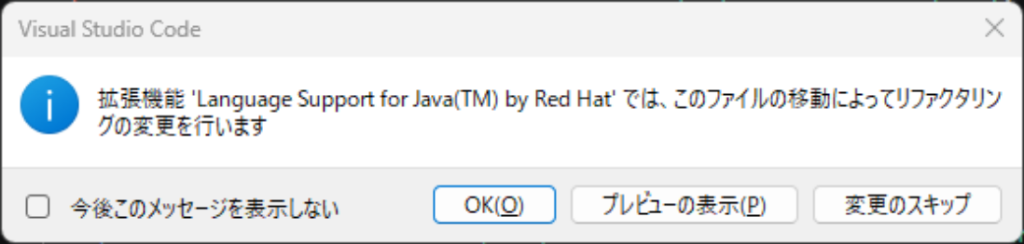
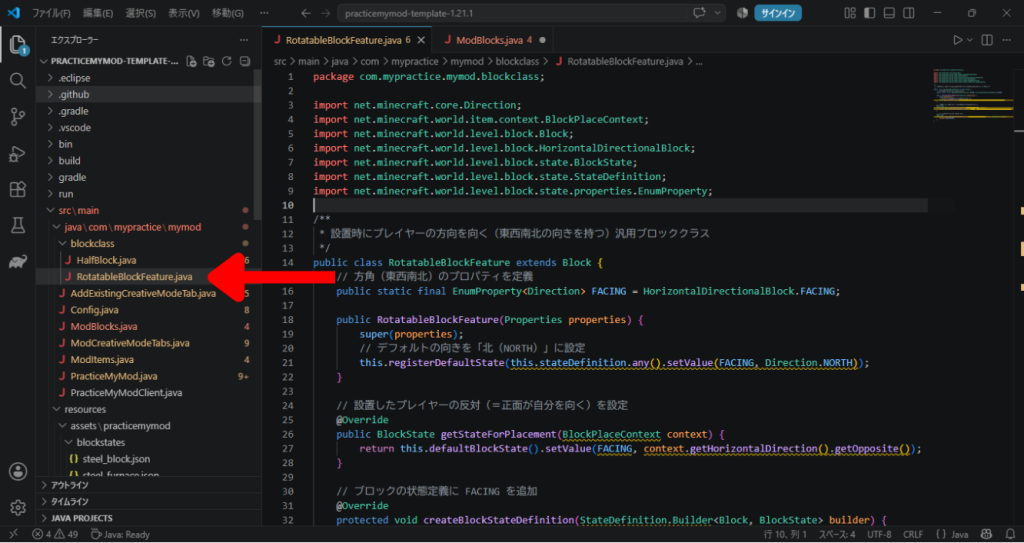
そしたら「RotatableBlockFeature.java」の中身を、以下のように変えます。
package com.mypractice.mymod.blockclass;

import net.minecraft.core.Direction;
import net.minecraft.world.item.context.BlockPlaceContext;
import net.minecraft.world.level.block.HorizontalDirectionalBlock;
import net.minecraft.world.level.block.state.BlockState;
import net.minecraft.world.level.block.state.properties.EnumProperty;

public interface RotatableBlockFeature {
    // 方角(東西南北)の変数を定義
    EnumProperty<Direction> FACING = HorizontalDirectionalBlock.FACING;

    // 向きを付与する共通処理
    default BlockState applyFacing(BlockState state, BlockPlaceContext context) {
        // 設置したプレイヤーの反対(=正面が自分を向く)を返す
        return state.setValue(FACING, context.getHorizontalDirection().getOpposite());
    }
}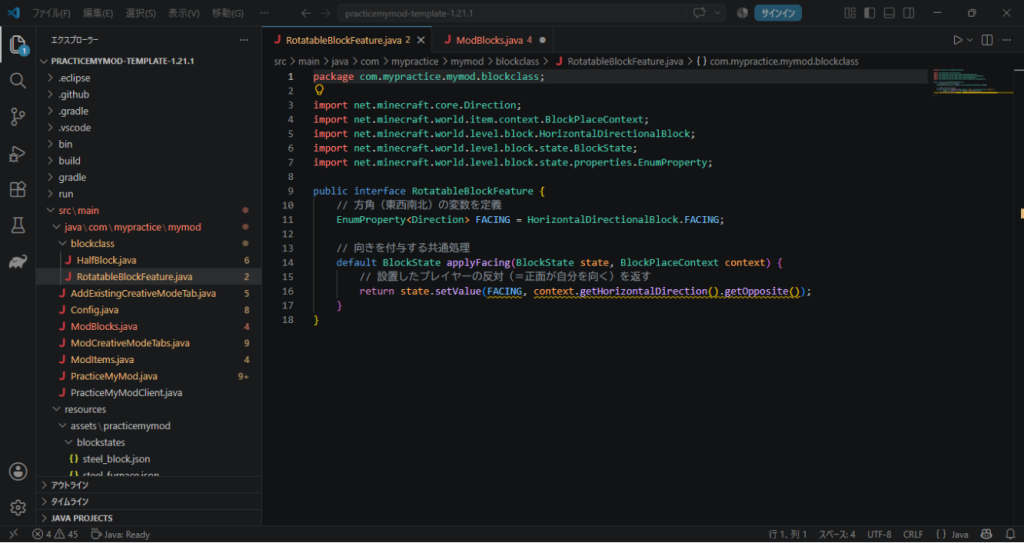
めっちゃ短くなった!
では次の「HalfBlock.java」も名前を「HalfBlockFeature.java」に変えてから開きましょう。
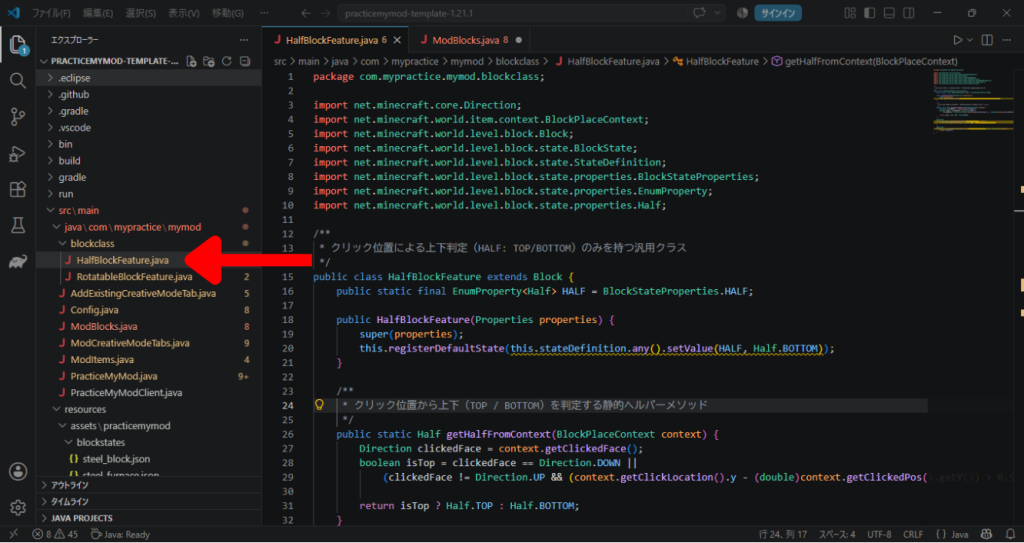
これの中身も以下のように変更。
package com.mypractice.mymod.blockclass;

import net.minecraft.core.Direction;
import net.minecraft.world.item.context.BlockPlaceContext;
import net.minecraft.world.level.block.state.BlockState;
import net.minecraft.world.level.block.state.properties.BlockStateProperties;
import net.minecraft.world.level.block.state.properties.EnumProperty;
import net.minecraft.world.level.block.state.properties.Half;

public interface HalfBlockFeature {
    EnumProperty<Half> HALF = BlockStateProperties.HALF;

    // 上下判定のロジック
    default Half getHalfFromContext(BlockPlaceContext context) {
        Direction clickedFace = context.getClickedFace();
        boolean isTop = clickedFace == Direction.DOWN ||
            (clickedFace != Direction.UP && (context.getClickLocation().y - (double)context.getClickedPos().getY()) > 0.5D);
        return isTop ? Half.TOP : Half.BOTTOM;
    }

    // 上下属性を付与する共通処理
    default BlockState applyHalf(BlockState state, BlockPlaceContext context) {
        return state.setValue(HALF, getHalfFromContext(context));
    }
}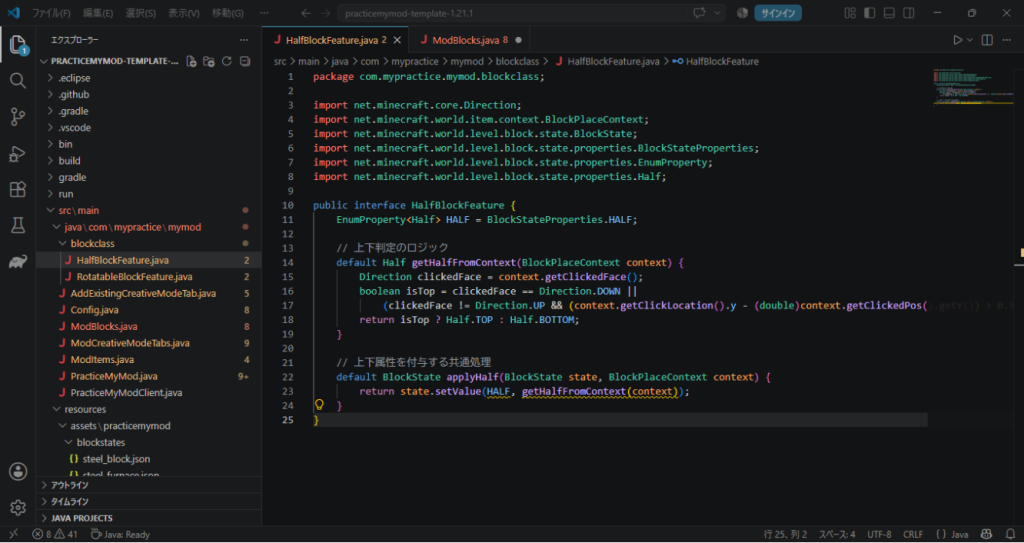
こっちも短くなった!
やっぱり同じような処理は書く回数を減らすに限りますね!
そして最後の「CustomStairsBlock.java」は、まずは作りましょう。
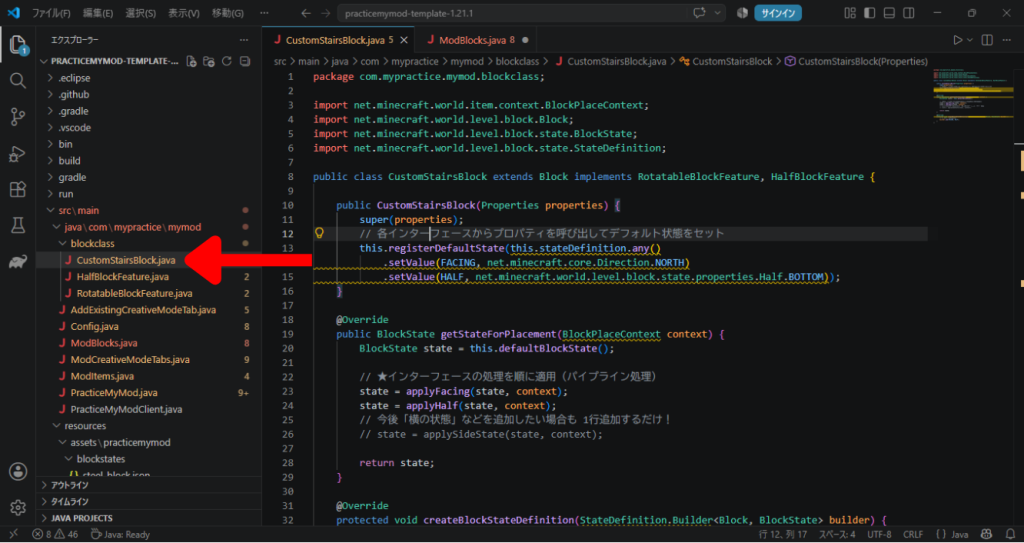
そしたら中身は以下です。
package com.mypractice.mymod.blockclass;

import net.minecraft.world.item.context.BlockPlaceContext;
import net.minecraft.world.level.block.Block;
import net.minecraft.world.level.block.state.BlockState;
import net.minecraft.world.level.block.state.StateDefinition;

public class CustomStairsBlock extends Block implements RotatableBlockFeature, HalfBlockFeature {

    public CustomStairsBlock(Properties properties) {
        super(properties);
        // 各インターフェースからプロパティを呼び出してデフォルト状態をセット
        this.registerDefaultState(this.stateDefinition.any()
            .setValue(FACING, net.minecraft.core.Direction.NORTH)
            .setValue(HALF, net.minecraft.world.level.block.state.properties.Half.BOTTOM));
    }

    @Override
    public BlockState getStateForPlacement(BlockPlaceContext context) {
        BlockState state = this.defaultBlockState();

        // ★インターフェースの処理を順に適用(パイプライン処理)
        state = applyFacing(state, context);
        state = applyHalf(state, context);
        // 今後「横の状態」などを追加したい場合も 1行追加するだけ!
        // state = applySideState(state, context);

        return state;
    }

    @Override
    protected void createBlockStateDefinition(StateDefinition.Builder<Block, BlockState> builder) {
        // ★使う属性をすべて追加
        builder.add(FACING, HALF);
    }
}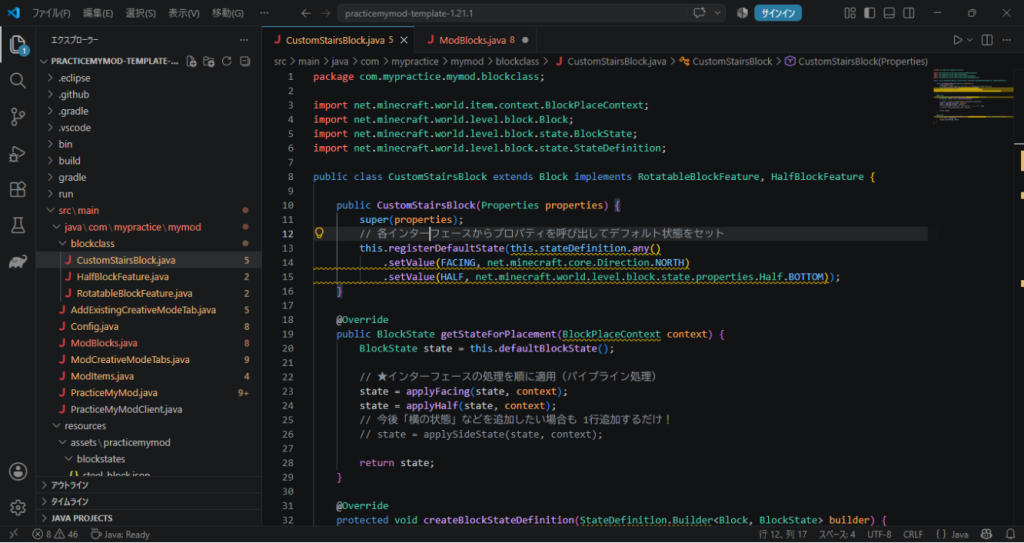
これでクラスの変更は完了!
ということで、ここで1つのファイルがエラーを出してますね。
「ModBlocks.java」です。
エラーの箇所を見てみましょう。
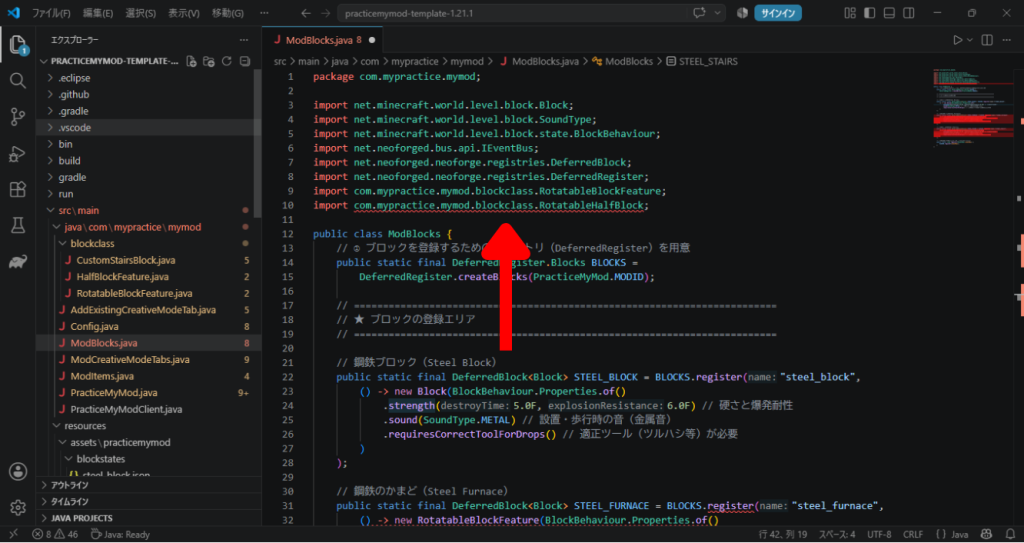
まずは冒頭。
これはすでに削除して無くなっているはずの「RotatableHalfBlock」を読み込もうとしてエラーが出ています。
なのでここは消しちゃいましょう。
次!
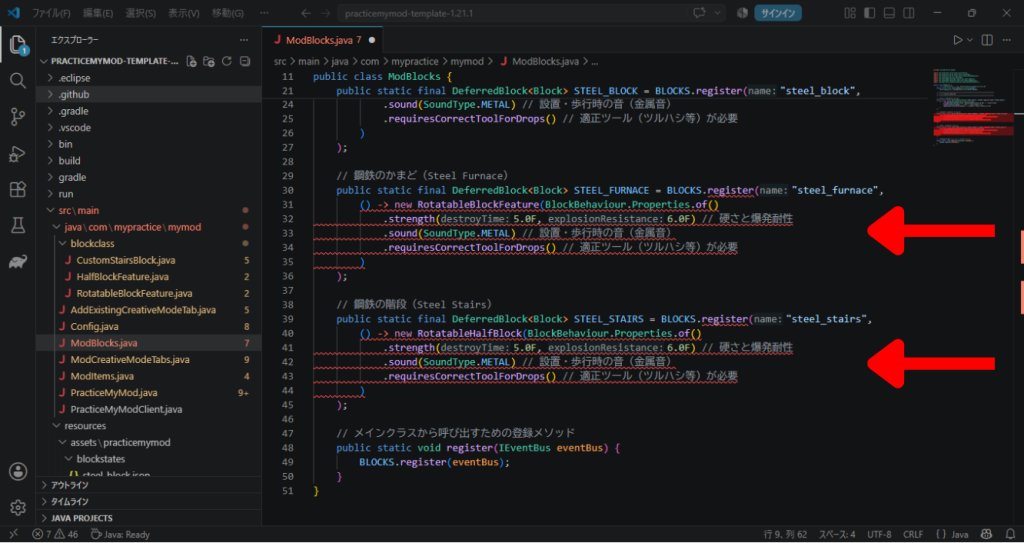
ここは一見わかりずらい。
だってimport文では「RotatableBlockFeature」をちゃんと読み込んでるし、ブロックの登録に関しては何もいじっていないのに・・・。
と思うかもしれませんが、よくよく振り返ると分かるかもしれません。
そもそも今回、階段のようなブロックのために、あえてクラスをばらばらにして、最後に1つにまとめる形でファイルを作りましたね?
そう!「CustomStairsBlock.java」です!
今回はそれを読み込んであげなきゃいけなかったんです!
ということでエラーは出ていないんですが、import文の中から以下を削除。
import com.mypractice.mymod.blockclass.RotatableBlockFeature;代わりにこちらを追加します。
import com.mypractice.mymod.blockclass.CustomStairsBlock;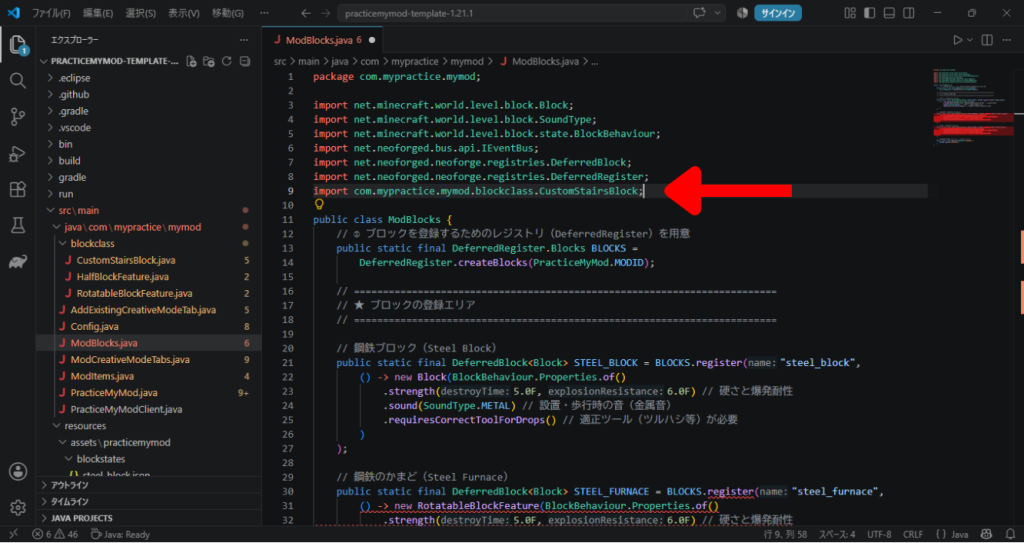
さて、これだけではいけませんね。
ブロックを登録している部分で「RotatableBlockFeature」がそのまま使われてしまっているので、そこを「CustomStairsBlock」に変えてあげましょう!
これでエラーが消えます!
これでOK!と思いきやそうでもないのです。
今回エラーが出ないのは「RotatableBlockFeature」を両方変えたから。
でもそもそも「鋼鉄のかまど(Steel_Furnace)」の方は、上下の反転とかいらないですよね?必要なのは方向の回転だけ。
ということで、これはこれで新しい「CustomFurnaceBlock.java」を作ってあげないと、別の処理はできません!
ということで作りましょう、回転だけ用のJavaファイルを。
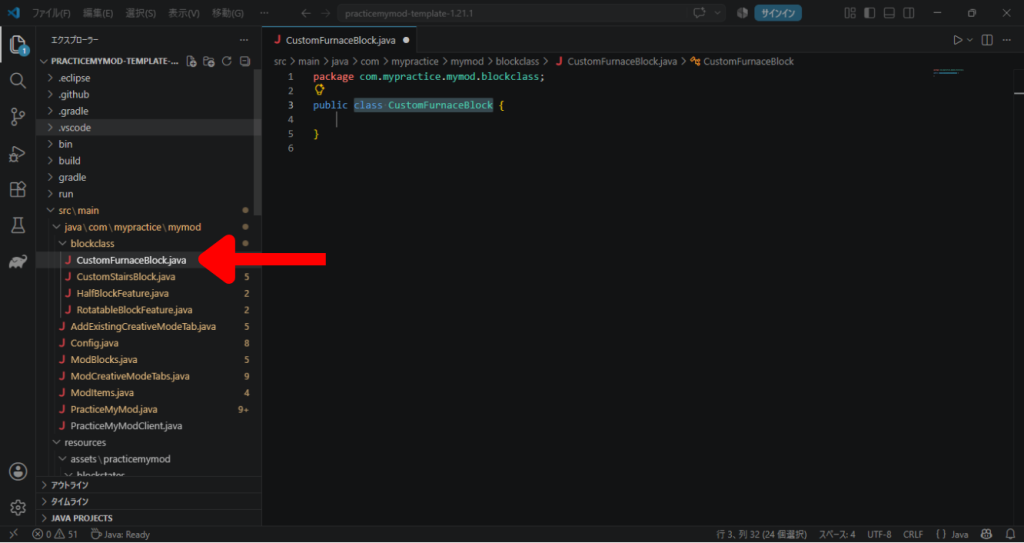
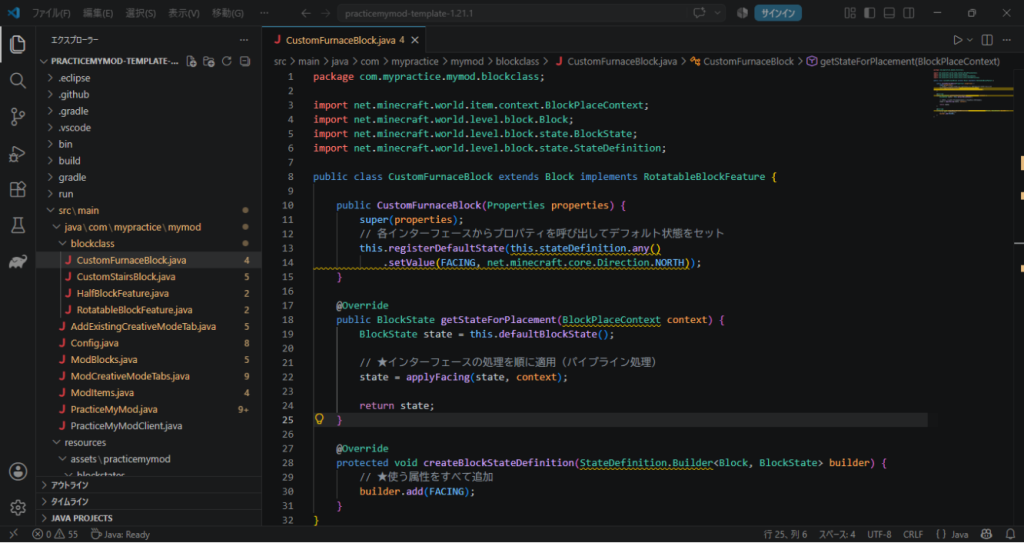
中はさっき作った「CustomStairsBlock.java」に似ています。
package com.mypractice.mymod.blockclass;

import net.minecraft.world.item.context.BlockPlaceContext;
import net.minecraft.world.level.block.Block;
import net.minecraft.world.level.block.state.BlockState;
import net.minecraft.world.level.block.state.StateDefinition;

public class CustomFurnaceBlock extends Block implements RotatableBlockFeature {

    public CustomFurnaceBlock(Properties properties) {
        super(properties);
        // 各インターフェースからプロパティを呼び出してデフォルト状態をセット
        this.registerDefaultState(this.stateDefinition.any()
            .setValue(FACING, net.minecraft.core.Direction.NORTH));
    }

    @Override
    public BlockState getStateForPlacement(BlockPlaceContext context) {
        BlockState state = this.defaultBlockState();

        // ★インターフェースの処理を順に適用(パイプライン処理)
        state = applyFacing(state, context);

        return state;
    }

    @Override
    protected void createBlockStateDefinition(StateDefinition.Builder<Block, BlockState> builder) {
        // ★使う属性をすべて追加
        builder.add(FACING);
    }
}
これができたら、再度「ModBlocks.java」に戻って、まずはimport文に以下を追加しましょう。
import com.mypractice.mymod.blockclass.CustomHorizontalRotationBlock;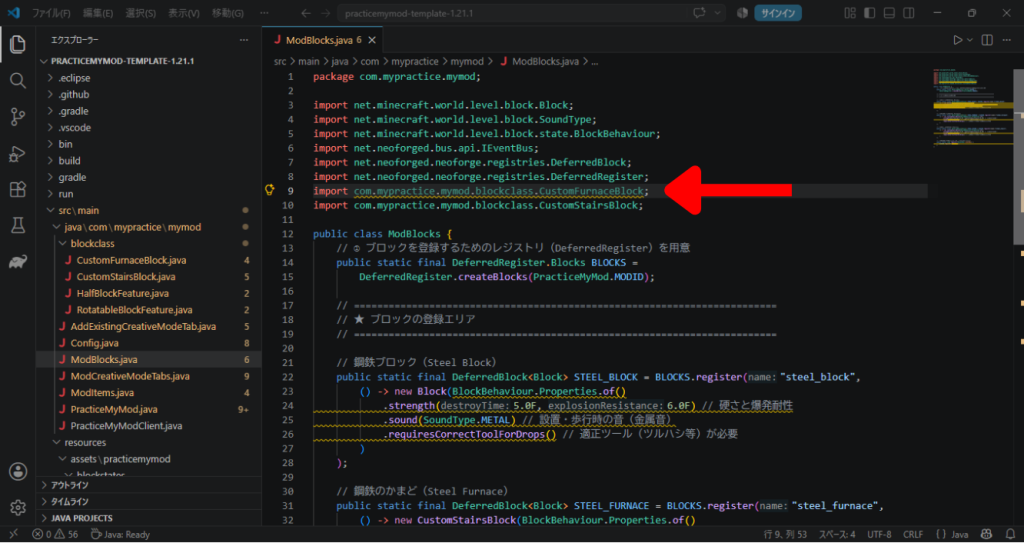
そしたら「鋼鉄のかまど(Steel_Furnace)」を登録している部分を変更しましょう。
(さっき変えた鋼鉄の階段の方はそのままです)
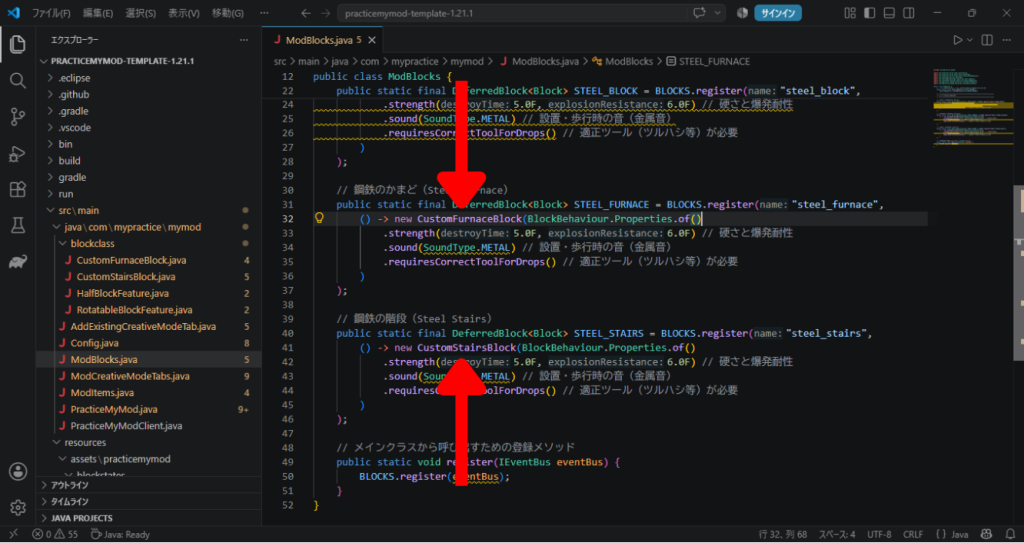
それができたら、テスト起動してみましょう!
かまども階段も以前と同じように動作すればOKです!
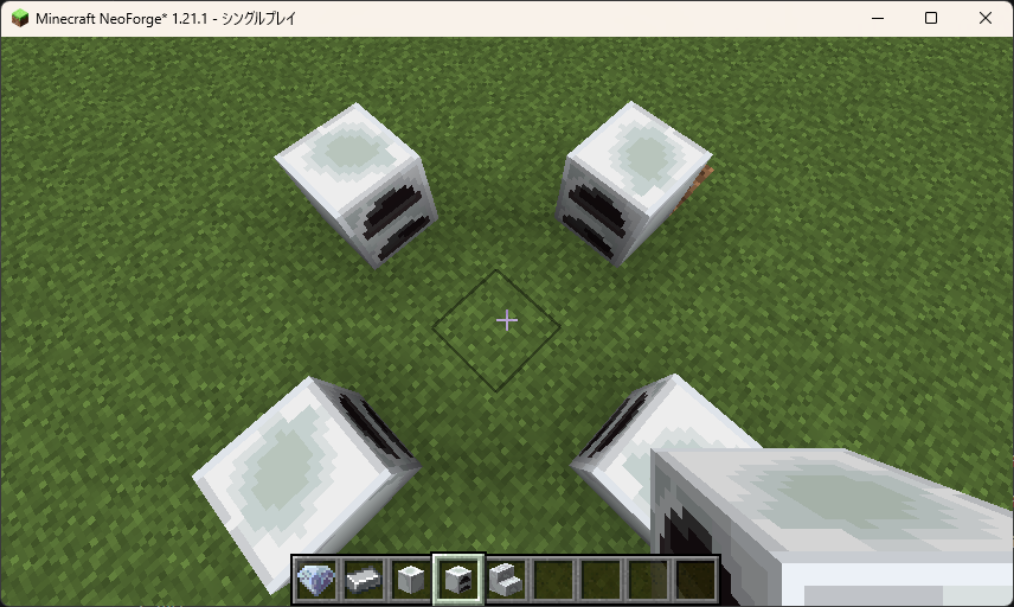
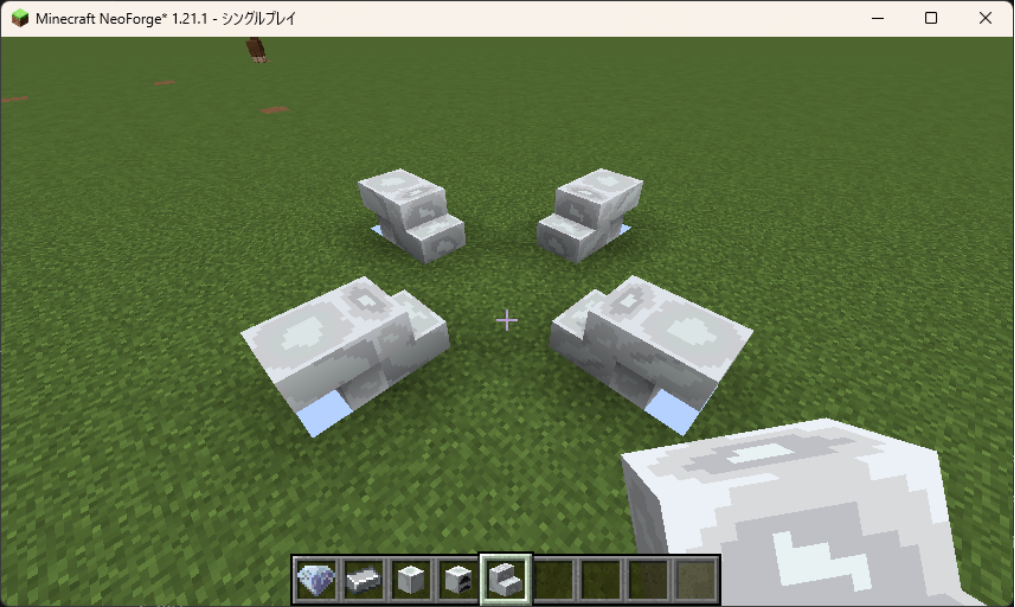
というわけでブレイク(にならない)タイムが終わりました。
次は当たり判定ですね。
ブロックの当たり判定の変更
階段ブロックは階段の形の通り、つまりモデルの形通りに当たり判定が欲しいですね。
ということでそのための情報変更を加えないといけません。
しかしそれも拡張性を有したいので、クラスを作ってインターフェース機能で読み込む形にします。
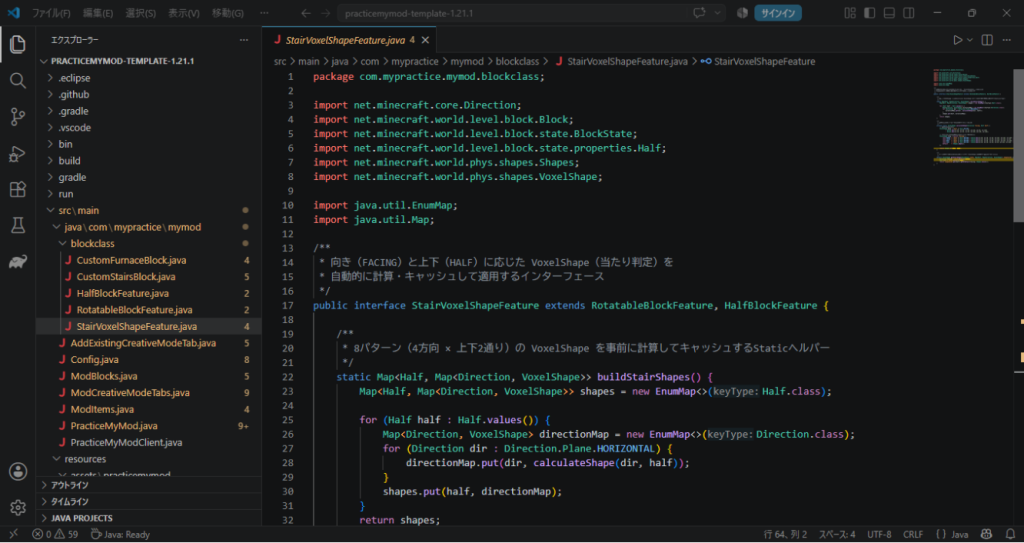
そのために、まずは「StairVoxelShapeFeature.java」ファイルを作りましょう。
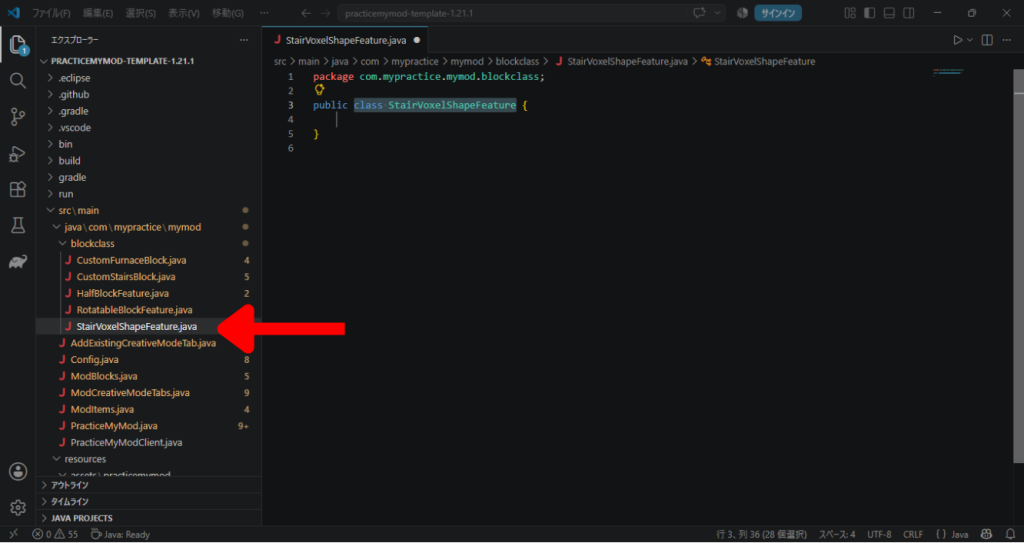
中身はこんな感じ。
各方向や上下の向きに対応した当たり判定を定義しています。
package com.mypractice.mymod.blockclass;

import net.minecraft.core.Direction;
import net.minecraft.world.level.block.Block;
import net.minecraft.world.level.block.state.BlockState;
import net.minecraft.world.level.block.state.properties.Half;
import net.minecraft.world.phys.shapes.Shapes;
import net.minecraft.world.phys.shapes.VoxelShape;

import java.util.EnumMap;
import java.util.Map;

/**
 * 向き(FACING)と上下(HALF)に応じた VoxelShape(当たり判定)を
 * 自動的に計算・キャッシュして適用するインターフェース
 */
public interface StairVoxelShapeFeature extends RotatableBlockFeature, HalfBlockFeature {

    /**
     * 8パターン(4方向 × 上下2通り)の VoxelShape を事前に計算してキャッシュするStaticヘルパー
     */
    static Map<Half, Map<Direction, VoxelShape>> buildStairShapes() {
        Map<Half, Map<Direction, VoxelShape>> shapes = new EnumMap<>(Half.class);

        for (Half half : Half.values()) {
            Map<Direction, VoxelShape> directionMap = new EnumMap<>(Direction.class);
            for (Direction dir : Direction.Plane.HORIZONTAL) {
                directionMap.put(dir, calculateShape(dir, half));
            }
            shapes.put(half, directionMap);
        }
        return shapes;
    }

    /**
     * 向きと上下から個別形状を合成する内部ロジック
     */
    private static VoxelShape calculateShape(Direction facing, Half half) {
        // 土台(高さ半分)
        VoxelShape base = (half == Half.BOTTOM)
                ? Block.box(0, 0, 0, 16, 8, 16)
                : Block.box(0, 8, 0, 16, 16, 16);

        // ステップ部分(向きと上下によって位置を判定)
        VoxelShape step = switch (facing) {
            case NORTH -> (half == Half.BOTTOM) ? Block.box(0, 8, 8, 16, 16, 16) : Block.box(0, 0, 8, 16, 8, 16);
            case SOUTH -> (half == Half.BOTTOM) ? Block.box(0, 8, 0, 16, 16, 8)  : Block.box(0, 0, 0, 16, 8, 8);
            case WEST  -> (half == Half.BOTTOM) ? Block.box(8, 8, 0, 16, 16, 16) : Block.box(8, 0, 0, 16, 8, 16);
            case EAST  -> (half == Half.BOTTOM) ? Block.box(0, 8, 0, 8, 16, 16)  : Block.box(0, 0, 0, 8, 8, 16);
            default    -> Shapes.empty();
        };

        return Shapes.or(base, step);
    }

    /**
     * ブロック状態(BlockState)から対応する VoxelShape を取得するデフォルトメソッド
     */
    default VoxelShape getStairShape(BlockState state, Map<Half, Map<Direction, VoxelShape>> shapeCache) {
        Direction facing = state.getValue(FACING);
        Half half = state.getValue(HALF);
        return shapeCache.get(half).getOrDefault(facing, Shapes.block());
    }
}
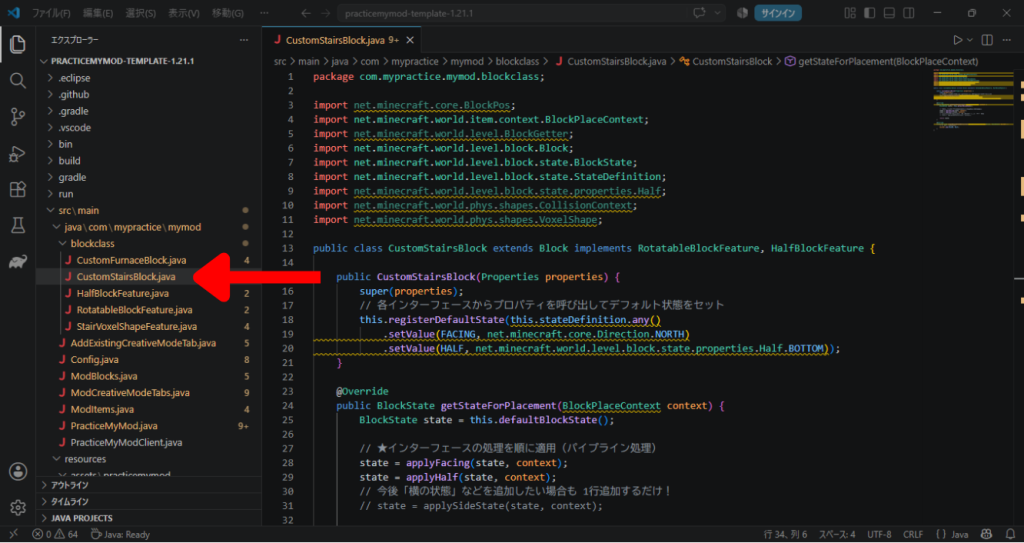
次にこれを「CustomStairsBlock.java」で読み込んでいくんですが。
今回はただの属性の追加とは違い、当たり判定(ゲームのシステム面)への情報も必要になるため、ちょっと追加が大変です。
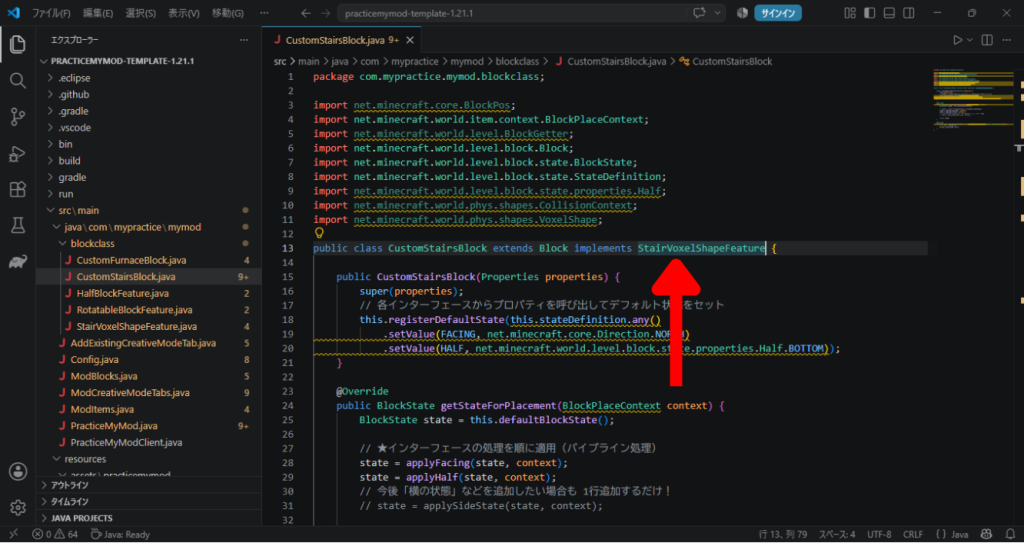
まずはそもそもの起動の部分で「implements RotatableBlockFeature, HalfBlockFeature」だったところを「implements StairVoxelShapeFeature」に変更しましょう。
次に以下のコードを、「デフォルト状態をセット」する前の場所に追加します。
// クラス読み込み時に8パターンの判定形状を自動生成してキャッシュ
private static final Map<Half, Map<Direction, VoxelShape>> STAIR_SHAPES = StairVoxelShapeFeature.buildStairShapes();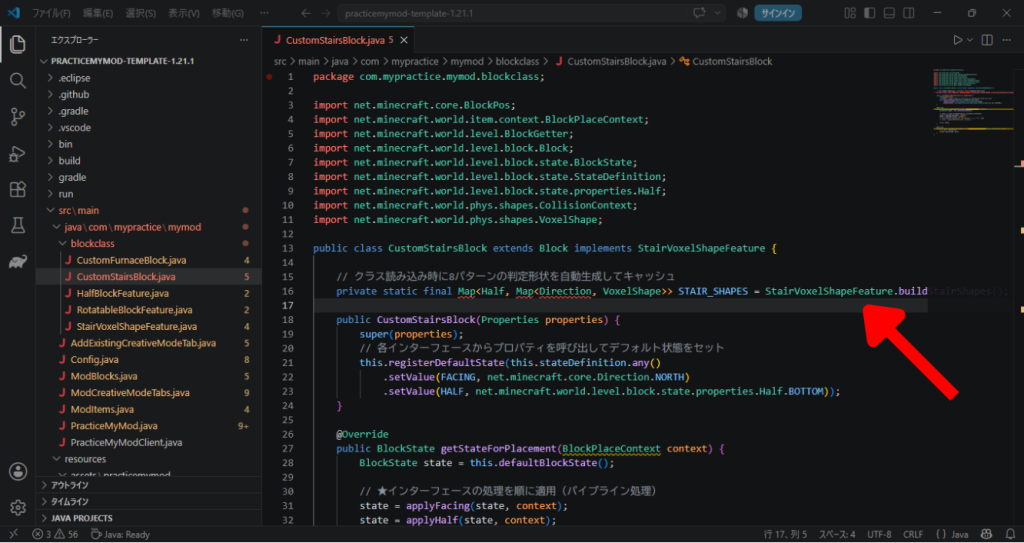
このままだとエラーが出ていますが、これは必要なものがインポートされていないからです。
なので下のコードをimport文のところに追加しましょう。
import net.minecraft.core.Direction;

import java.util.Map;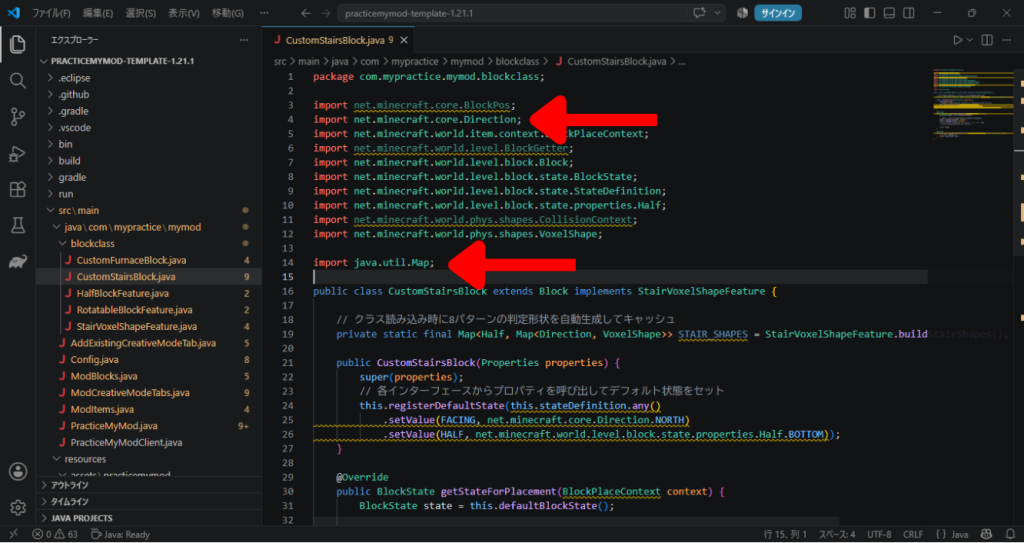
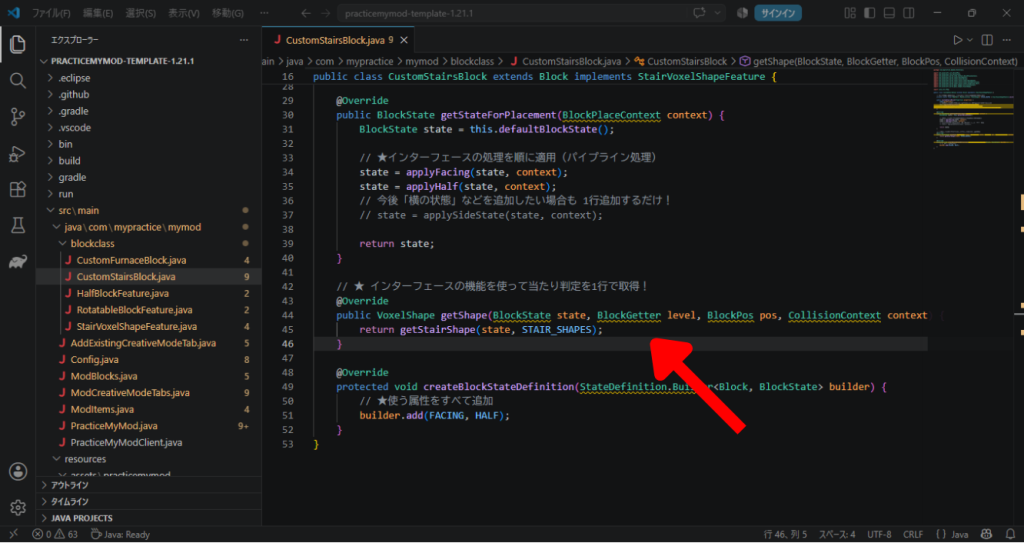
次に、2つの「@Override」の間に以下を追記します。
// ★ インターフェースの機能を使って当たり判定を1行で取得!
@Override
public VoxelShape getShape(BlockState state, BlockGetter level, BlockPos pos, CollisionContext context) {
    return getStairShape(state, STAIR_SHAPES);
}
それではテスト起動してみましょう!
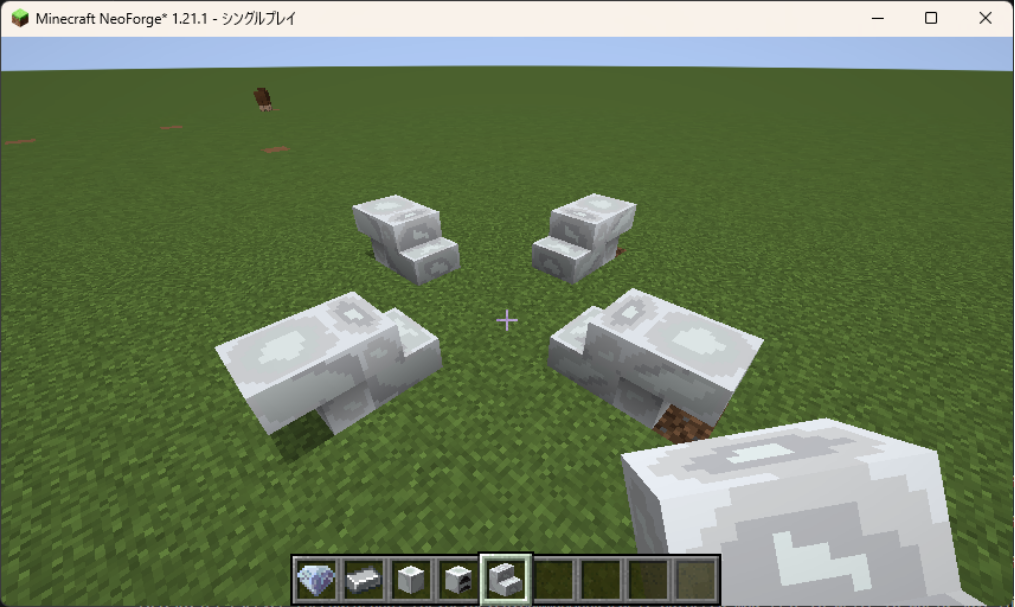
これでうまく上り下りも歩くことができていたら完璧です!
ブロックにさらに状態を追加する
階段の上り下りまでできましたが、マイクラの階段ブロックにはある機能があります。
それが「角に置いたとき」です!
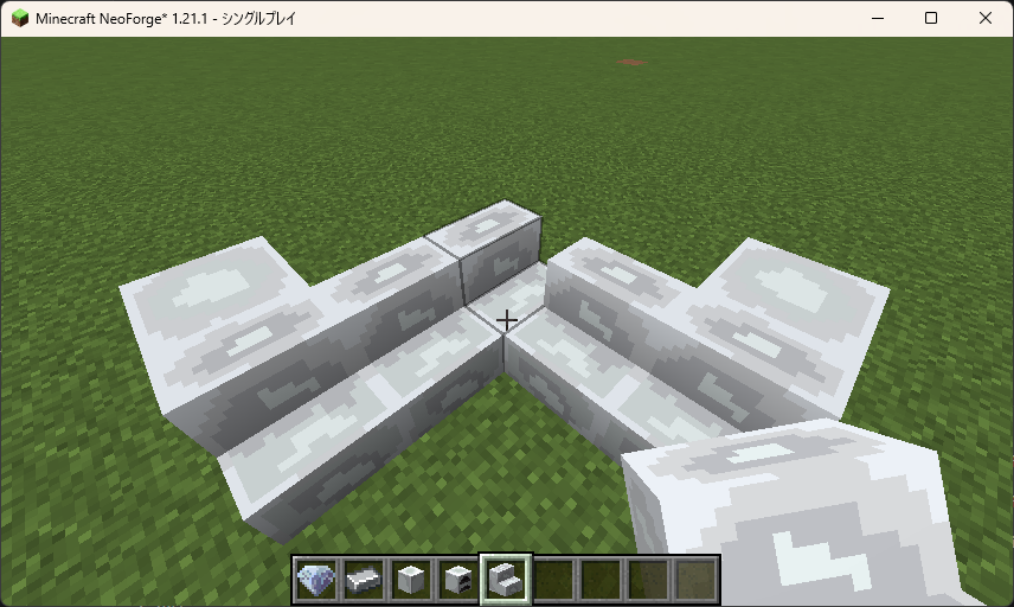
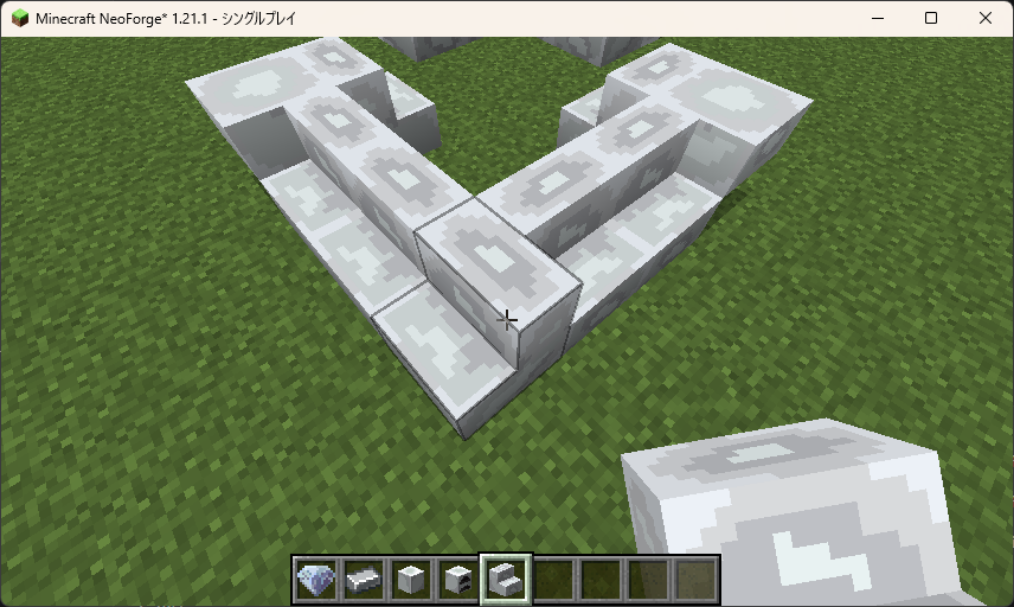
今のままだと角に置いても別の方向に繋がりません。
まずは「前後左右のブロックを確認して、表示させるモデルを決める」ということをしないといけませんね。
そこで!
調べます・・・。
理想のアプローチとしては、
- まずは「RotatableBlockFeature」で回転を、「HalfBlockFeature」で上下の方向を、「StairConnectableFeature」で前後左右の連結状態を、それぞれ順番に確認。
- この時点でおそらくブロックの属性データの中に「FACING」と「HALF」と「SHAPE」の情報が含まれている。
- なのでこのブロックの属性データを元に、最後に「StairVoxelShapeFeature」でブロックの属性データを読み込んで当たり判定を分岐判定させる。
という流れにしたいです。
そして出てきた回答がこちら!
まずは前後左右の連結状態を確認する処理を書くクラスを作りましょう。
「StairConnectableFeature.java」ファイルを作ります。
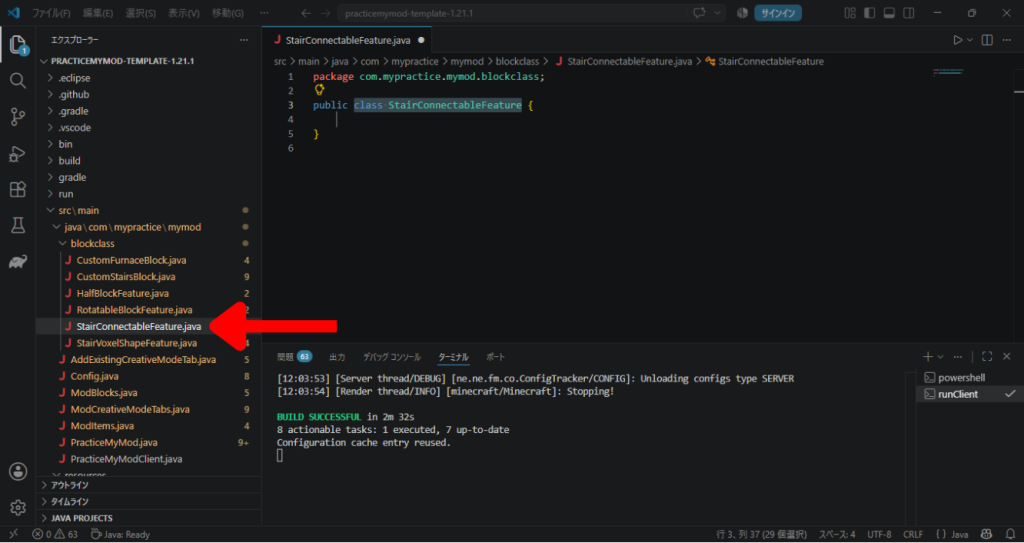
そうしたら、中身に以下を書きましょう。
package com.mypractice.mymod.blockclass;

import net.minecraft.core.BlockPos;
import net.minecraft.core.Direction;
import net.minecraft.world.level.BlockGetter;
import net.minecraft.world.level.LevelAccessor;
import net.minecraft.world.level.block.state.BlockState;
import net.minecraft.world.level.block.state.properties.BlockStateProperties;
import net.minecraft.world.level.block.state.properties.EnumProperty;
import net.minecraft.world.level.block.state.properties.StairsShape;

public interface StairConnectableFeature extends RotatableBlockFeature, HalfBlockFeature {

    EnumProperty<StairsShape> SHAPE = BlockStateProperties.STAIRS_SHAPE;

    default StairsShape getStairShape(BlockState state, BlockGetter level, BlockPos pos) {
        Direction facing = state.getValue(FACING);

        // 1. 後ろにあるブロックをチェック(内角 INNER)
        BlockState backState = level.getBlockState(pos.relative(facing));
        if (isStair(backState) && state.getValue(HALF) == backState.getValue(HALF)) {
            Direction backFacing = backState.getValue(FACING);
            if (backFacing.getAxis() != facing.getAxis() && isDifferentStair(state, level, pos, backFacing.getOpposite())) {
                return (backFacing == facing.getCounterClockWise()) ? StairsShape.INNER_LEFT : StairsShape.INNER_RIGHT;
            }
        }

        // 2. 前にあるブロックをチェック(外角 OUTER)
        BlockState frontState = level.getBlockState(pos.relative(facing.getOpposite()));
        if (isStair(frontState) && state.getValue(HALF) == frontState.getValue(HALF)) {
            Direction frontFacing = frontState.getValue(FACING);
            if (frontFacing.getAxis() != facing.getAxis() && isDifferentStair(state, level, pos, frontFacing)) {
                return (frontFacing == facing.getCounterClockWise()) ? StairsShape.OUTER_LEFT : StairsShape.OUTER_RIGHT;
            }
        }

        return StairsShape.STRAIGHT;
    }

    private boolean isStair(BlockState state) {
        return state.hasProperty(FACING) && state.hasProperty(HALF) && state.hasProperty(SHAPE);
    }

    private boolean isDifferentStair(BlockState state, BlockGetter level, BlockPos pos, Direction dir) {
        BlockState relativeState = level.getBlockState(pos.relative(dir));
        return !isStair(relativeState) || relativeState.getValue(FACING) != state.getValue(FACING) || relativeState.getValue(HALF) != state.getValue(HALF);
    }

    default BlockState updateStairShape(BlockState state, LevelAccessor level, BlockPos currentPos) {
        return state.setValue(SHAPE, getStairShape(state, level, currentPos));
    }
}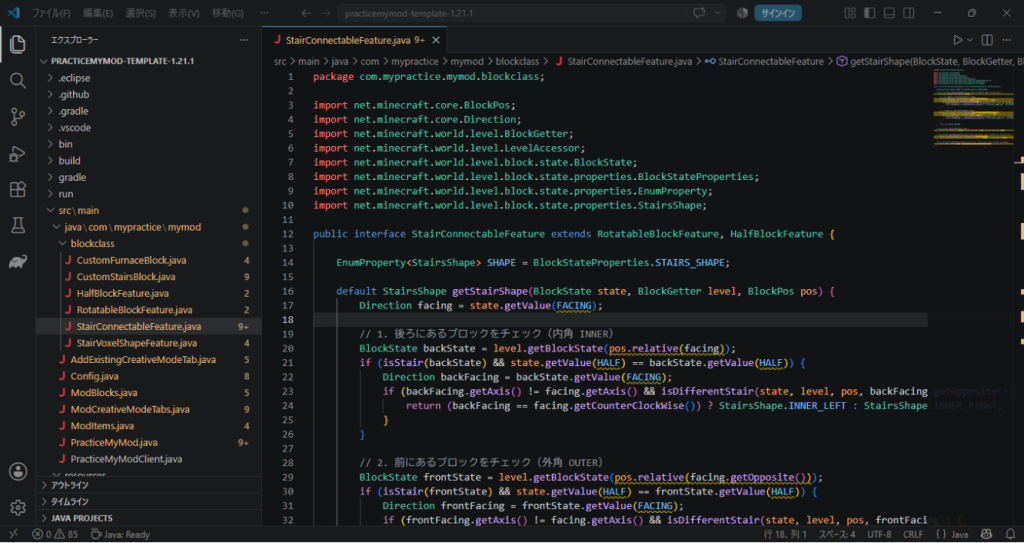
そうしたら、次に当たり判定を処理している「StairVoxelShapeFeature.java」で読み込んであげて、形に対応した当たり判定を付けます。
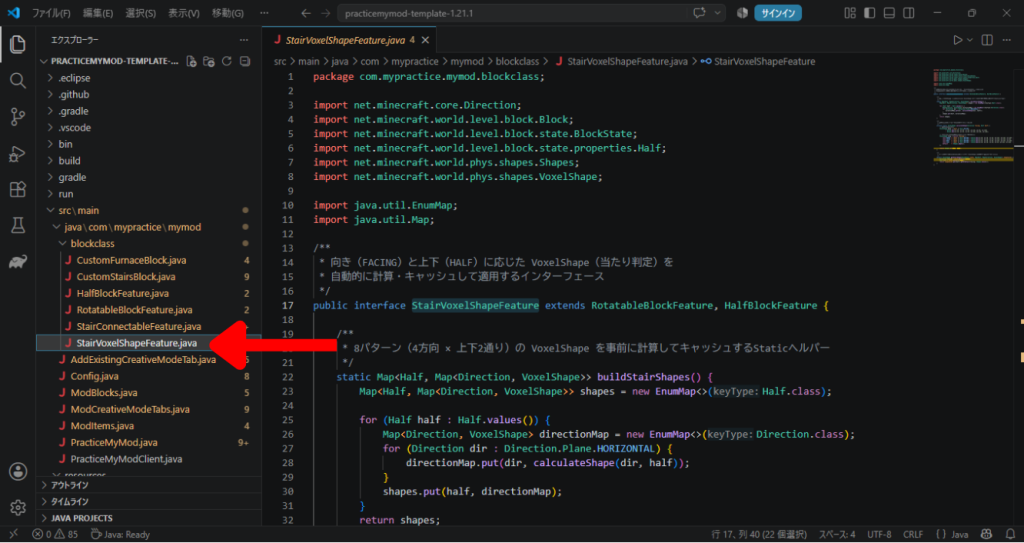
変更点が多すぎるので、とりあえず以下の右側を書きます。
(左側が元のコードです。見比べられるように並べてみました)
package com.mypractice.mymod.blockclass;

import net.minecraft.core.Direction;
import net.minecraft.world.level.block.Block;
import net.minecraft.world.level.block.state.BlockState;
import net.minecraft.world.level.block.state.properties.Half;
import net.minecraft.world.phys.shapes.Shapes;
import net.minecraft.world.phys.shapes.VoxelShape;

import java.util.EnumMap;
import java.util.Map;

/**
 * 向き(FACING)と上下(HALF)に応じた VoxelShape(当たり判定)を
 * 自動的に計算・キャッシュして適用するインターフェース
 */
public interface StairVoxelShapeFeature extends RotatableBlockFeature, HalfBlockFeature {

    /**
     * 8パターン(4方向 × 上下2通り)の VoxelShape を事前に計算してキャッシュするStaticヘルパー
     */
    static Map<Half, Map<Direction, VoxelShape>> buildStairShapes() {
        Map<Half, Map<Direction, VoxelShape>> shapes = new EnumMap<>(Half.class);

        for (Half half : Half.values()) {
            Map<Direction, VoxelShape> directionMap = new EnumMap<>(Direction.class);
            for (Direction dir : Direction.Plane.HORIZONTAL) {
                directionMap.put(dir, calculateShape(dir, half));
            }
            shapes.put(half, directionMap);
        }
        return shapes;
    }

    /**
     * 向きと上下から個別形状を合成する内部ロジック
     */
    private static VoxelShape calculateShape(Direction facing, Half half) {
        // 土台(高さ半分)
        VoxelShape base = (half == Half.BOTTOM)
                ? Block.box(0, 0, 0, 16, 8, 16)
                : Block.box(0, 8, 0, 16, 16, 16);

        // ステップ部分(向きと上下によって位置を判定)
        VoxelShape step = switch (facing) {
            case NORTH -> (half == Half.BOTTOM) ? Block.box(0, 8, 8, 16, 16, 16) : Block.box(0, 0, 8, 16, 8, 16);
            case SOUTH -> (half == Half.BOTTOM) ? Block.box(0, 8, 0, 16, 16, 8)  : Block.box(0, 0, 0, 16, 8, 8);
            case WEST  -> (half == Half.BOTTOM) ? Block.box(8, 8, 0, 16, 16, 16) : Block.box(8, 0, 0, 16, 8, 16);
            case EAST  -> (half == Half.BOTTOM) ? Block.box(0, 8, 0, 8, 16, 16)  : Block.box(0, 0, 0, 8, 8, 16);
            default    -> Shapes.empty();
        };

        return Shapes.or(base, step);
    }

    /**
     * ブロック状態(BlockState)から対応する VoxelShape を取得するデフォルトメソッド
     */
    default VoxelShape getStairShape(BlockState state, Map<Half, Map<Direction, VoxelShape>> shapeCache) {
        Direction facing = state.getValue(FACING);
        Half half = state.getValue(HALF);
        return shapeCache.get(half).getOrDefault(facing, Shapes.block());
    }
}
package com.mypractice.mymod.blockclass;
import net.minecraft.core.Direction;
import net.minecraft.world.level.block.Block;
import net.minecraft.world.level.block.state.BlockState;
import net.minecraft.world.level.block.state.properties.Half;
import net.minecraft.world.level.block.state.properties.StairsShape;
import net.minecraft.world.phys.shapes.Shapes;
import net.minecraft.world.phys.shapes.VoxelShape;
import java.util.EnumMap;
import java.util.Map;
public interface StairVoxelShapeFeature extends StairConnectableFeature {
// --- 1. BlockState から 3つの属性データを読み込んで VoxelShape を決定 ---
default VoxelShape getStairVoxelShape(BlockState state, Map<Half, Map<StairsShape, Map<Direction, VoxelShape>>> cache) {
// ブロックの属性データを読み込み
Direction facing = state.getValue(FACING);
Half half = state.getValue(HALF);
StairsShape shape = state.getValue(SHAPE);
// 読み込んだ 3つの属性からキャッシュテーブルを引いて返す
return cache.get(half).get(shape).getOrDefault(facing, Shapes.block());
}
// --- 2. 各属性の組み合わせに応じた 20パターンの VoxelShape を事前ビルド ---
static Map<Half, Map<StairsShape, Map<Direction, VoxelShape>>> buildFullStairShapes() {
Map<Half, Map<StairsShape, Map<Direction, VoxelShape>>> cache = new EnumMap<>(Half.class);
for (Half half : Half.values()) {
Map<StairsShape, Map<Direction, VoxelShape>> shapeMap = new EnumMap<>(StairsShape.class);
for (StairsShape shape : StairsShape.values()) {
Map<Direction, VoxelShape> directionMap = new EnumMap<>(Direction.class);
for (Direction facing : Direction.Plane.HORIZONTAL) {
directionMap.put(facing, calculateFullShape(facing, half, shape));
}
shapeMap.put(shape, directionMap);
}
cache.put(half, shapeMap);
}
return cache;
}
private static VoxelShape calculateFullShape(Direction facing, Half half, StairsShape shape) {
VoxelShape base = (half == Half.BOTTOM)
? Block.box(0, 0, 0, 16, 8, 16)
: Block.box(0, 8, 0, 16, 16, 16);
VoxelShape step = switch (facing) {
case NORTH -> (half == Half.BOTTOM) ? Block.box(0, 8, 8, 16, 16, 16) : Block.box(0, 0, 8, 16, 8, 16);
case SOUTH -> (half == Half.BOTTOM) ? Block.box(0, 8, 0, 16, 16, 8) : Block.box(0, 0, 0, 16, 8, 8);
case WEST -> (half == Half.BOTTOM) ? Block.box(8, 8, 0, 16, 16, 16) : Block.box(8, 0, 0, 16, 8, 16);
case EAST -> (half == Half.BOTTOM) ? Block.box(0, 8, 0, 8, 16, 16) : Block.box(0, 0, 0, 8, 8, 16);
default -> Shapes.empty();
};
VoxelShape extraQuarter = getExtraQuarter(facing, half, shape);
return Shapes.or(base, step, extraQuarter);
}
private static VoxelShape getExtraQuarter(Direction facing, Half half, StairsShape shape) {
if (shape != StairsShape.INNER_LEFT && shape != StairsShape.INNER_RIGHT) {
return Shapes.empty();
}
Direction targetDir = (shape == StairsShape.INNER_LEFT) ? facing.getCounterClockWise() : facing.getClockWise();
int yMin = (half == Half.BOTTOM) ? 8 : 0;
int yMax = (half == Half.BOTTOM) ? 16 : 8;
return switch (targetDir) {
case NORTH -> Block.box(0, yMin, 8, 8, yMax, 16);
case SOUTH -> Block.box(8, yMin, 0, 16, yMax, 8);
case WEST -> Block.box(8, yMin, 8, 16, yMax, 16);
case EAST -> Block.box(0, yMin, 0, 8, yMax, 8);
default -> Shapes.empty();
};
}
}さて、これで「StairVoxelShapeFeature.java」で当たり判定の作成までできた(はず)なので、最後にこれを「CustomStairsBlock.java」で読み込んで、実際のブロックに対応する処理にしていきましょう!
ただ、先ほど「StairVoxelShapeFeature.java」を変えた影響で、「CustomStairsBlock.java」がエラーをはいてますね。
ついでなので一緒に見ていきましょう。
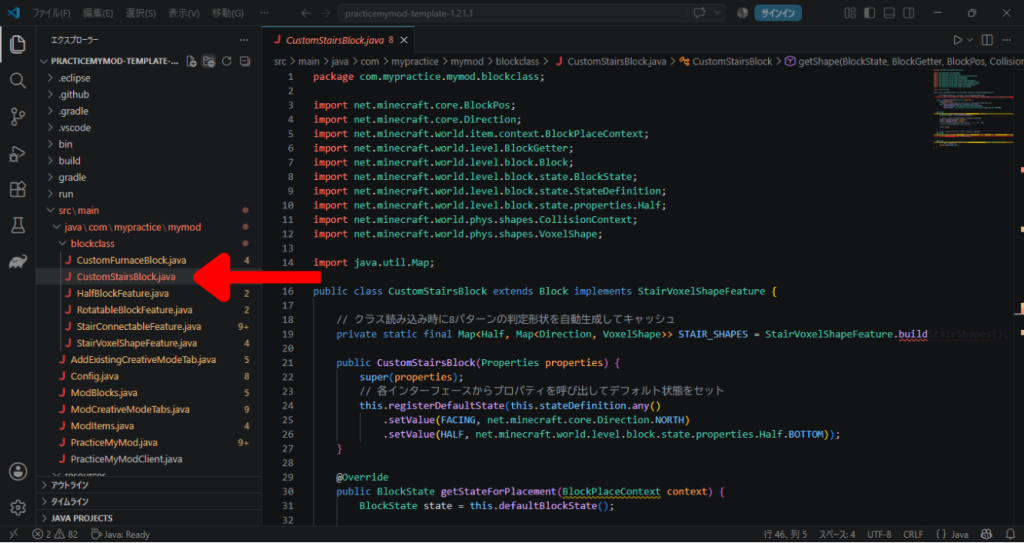
エラーはこの1か所でした。
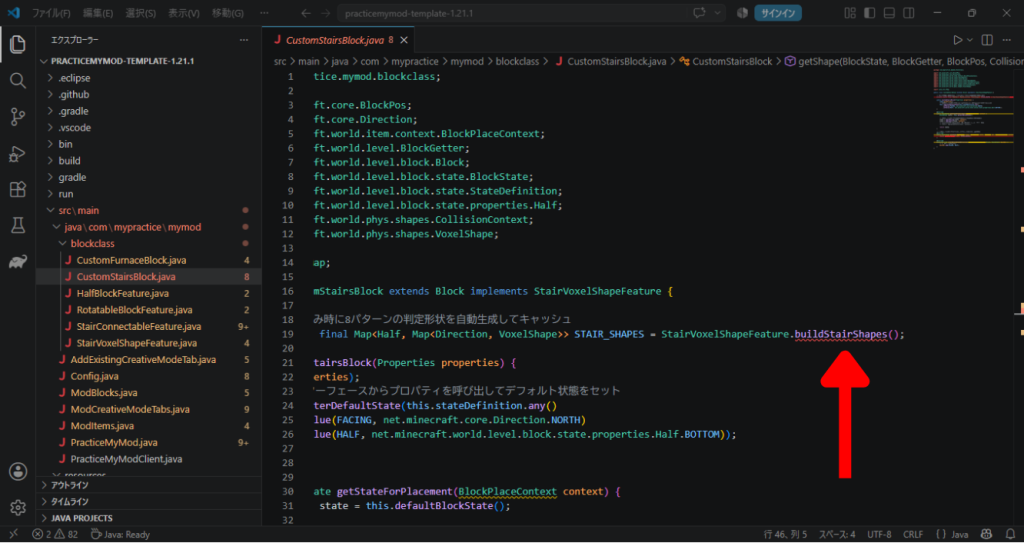
これは、元々の「StairVoxelShapeFeature」にあった「buildStairShapes()」が消えたことにより、「そんな処理が無い!」とエラーが出ているようですね。
ということで今回はそこも修正していくので、とりあえず無視してOK。
ということで気を取り直してコードの修正。
まずはちょうどこのエラーが出ていた部分をまるっと変更。
元々がこちら。
// クラス読み込み時に8パターンの判定形状を自動生成してキャッシュ
private static final Map<Half, Map<Direction, VoxelShape>> STAIRS_SHAPES = StairVoxelShapeFeature.buildStairShapes();
これを以下に変更。
// クラス読み込み時に20パターンの判定形状を自動生成してキャッシュ
    private static final Map<Half, Map<StairsShape, Map<Direction, VoxelShape>>> STAIR_SHAPES = StairVoxelShapeFeature.buildFullStairShapes();
次に以下の「各属性の処理をする部分」を修正
// 各インターフェースからプロパティを呼び出してデフォルト状態をセット
this.registerDefaultState(this.stateDefinition.any()
    .setValue(FACING, net.minecraft.core.Direction.NORTH)
    .setValue(HALF, net.minecraft.world.level.block.state.properties.Half.BOTTOM));
この部分を以下のように修正。
// 各インターフェースからプロパティを呼び出してデフォルト状態をセット
this.registerDefaultState(this.stateDefinition.any()
    .setValue(FACING, Direction.NORTH)
    .setValue(HALF, Half.BOTTOM)
    .setValue(SHAPE, StairsShape.STRAIGHT));
次は以下の部分。
左が元々なので、それを右側のように修正。
@Override
public BlockState getStateForPlacement(BlockPlaceContext context) {
    BlockState state = this.defaultBlockState();

    // ★インターフェースの処理を順に適用(パイプライン処理)
    state = applyFacing(state, context);
    state = applyHalf(state, context);
    // 今後「横の状態」などを追加したい場合も 1行追加するだけ!
    // state = applySideState(state, context);

    return state;
}
/**
* 1. 設置時の属性確定処理パイプライン
*/
@Override
public BlockState getStateForPlacement(BlockPlaceContext context) {
BlockState state = this.defaultBlockState();
// Step 1: 「FACING」の確定
state = applyFacing(state, context);
// Step 2: 「HALF」の確定
state = applyHalf(state, context);
// Step 3: 周囲の状況から「SHAPE」の確定
// (この時点で BlockState に FACING, HALF, SHAPE が揃う)
return state.setValue(SHAPE, getStairShape(state, context.getLevel(), context.getClickedPos()));
}結構違うもんですね。
最初からちゃんと設計思想を持たないとだめですね・・・。
次はその下です。
そこに以下を追記しましょう。
/**
 * 隣接ブロック変更時の再判定処理
 */
@Override
public BlockState updateShape(BlockState state, Direction direction, BlockState neighborState, LevelAccessor level, BlockPos currentPos, BlockPos neighborPos) {
    return updateStairShape(state, level, currentPos);
}
そしたらその下の部分。
なんだかエラーも出ていますが、変更してしまうのでかまいません。
// ★ インターフェースの機能を使って当たり判定を1行で取得!
@Override
public VoxelShape getShape(BlockState state, BlockGetter level, BlockPos pos, CollisionContext context) {
    return getStairShape(state, STAIR_SHAPES);
}
この部分を以下のように修正。
/**
 * 2. 確定済みの BlockState 属性データを読み込んで当たり判定を出力
 */
@Override
public VoxelShape getShape(BlockState state, BlockGetter level, BlockPos pos, CollisionContext context) {
    // StairVoxelShapeFeature へ BlockState を渡し、最終的な当たり判定を取得する
    return getStairVoxelShape(state, STAIRS_SHAPES);
}
そして最後!
ちょっとした違いなので並べておきます。
左側が元なので、右側のように変更しましょう。
@Override
protected void createBlockStateDefinition(StateDefinition.Builder<Block, BlockState> builder) {
    // ★使う属性をすべて追加
    builder.add(FACING, HALF);
}
@Override
protected void createBlockStateDefinition(StateDefinition.Builder<Block, BlockState> builder) {
// ★使う属性をすべて追加
builder.add(FACING, HALF, SHAPE);
}壮観ですね。
ここまでできたらマイクラをテスト起動してみましょう!
ちゃんとブロックが変わるかな・・・?
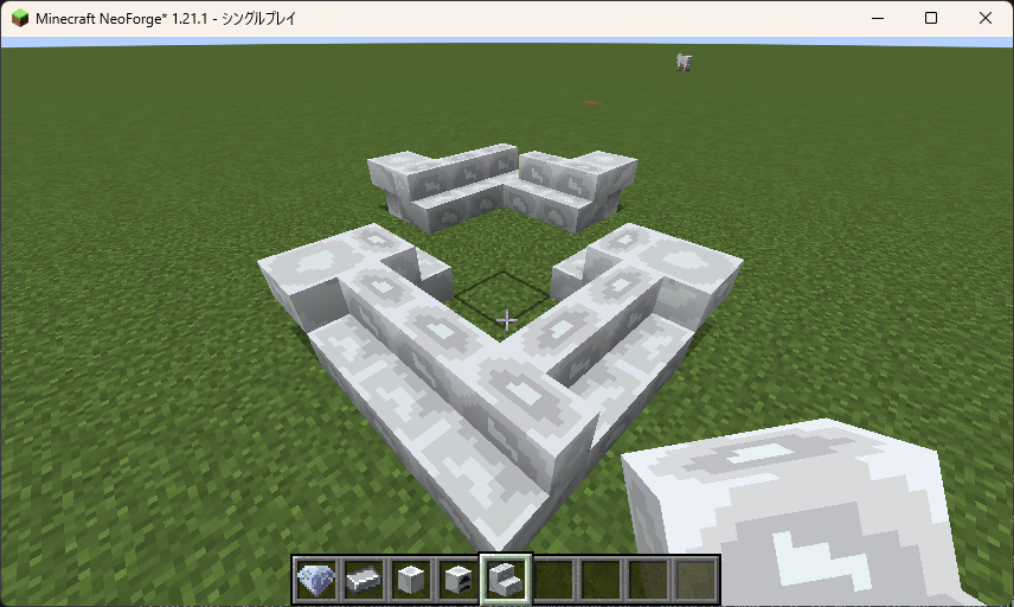
おや~?
変わらないねぇ?
とここで思い出したのです。
せっかく属性を付与したのに、「blockstates」の「steel_stairs.json」を変えていないことに・・・。
ということで直します!
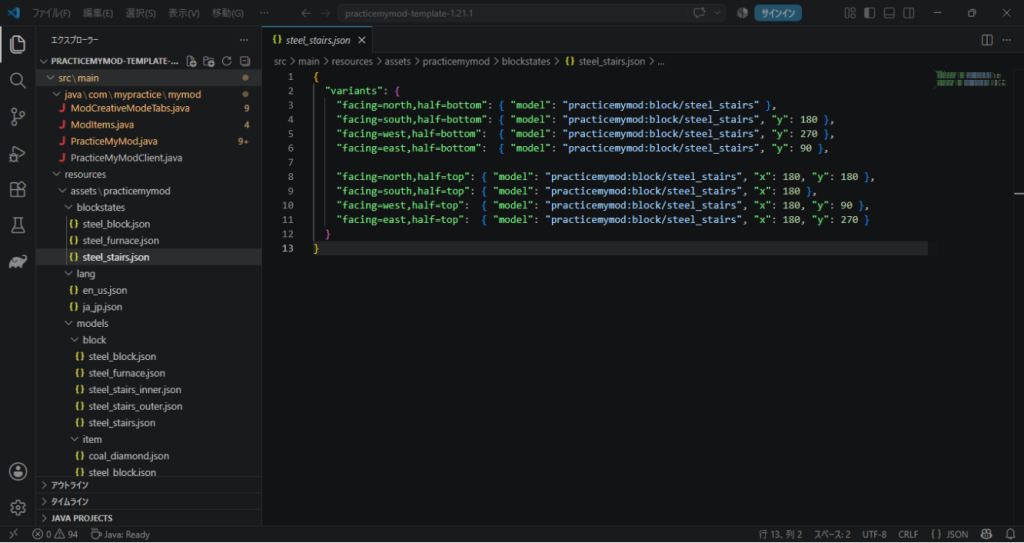
ここの既存の部分も修正。
属性に「shape=straight」を追加します。
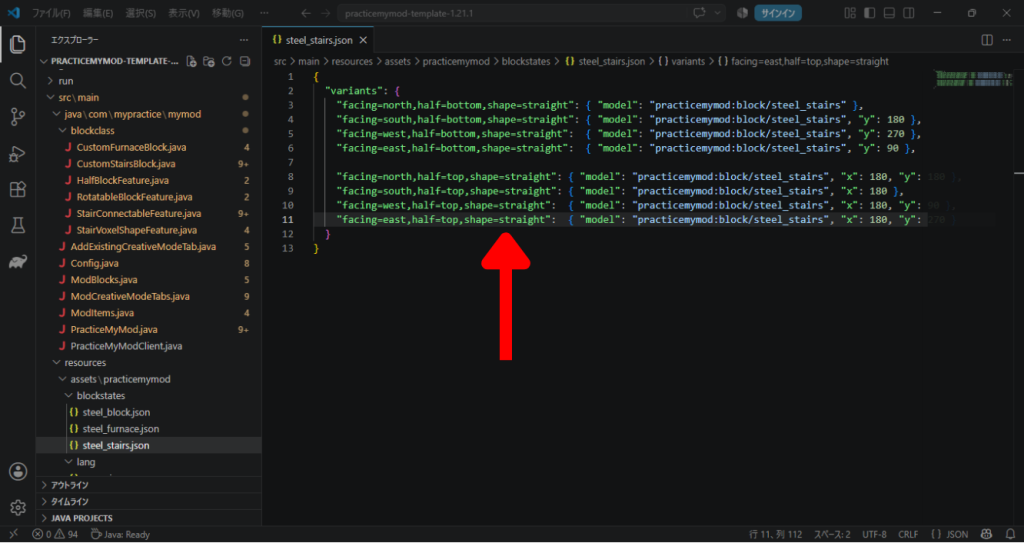
そしたらこれより下に、あと12項目追加します!
本来はそうなんですが、今回は確認したいことがあったのでこれだけ追加。
(追記するときは「,」忘れるとエラーが出ますので、エラーが出たら「,」を確認しましょう)
"facing=north,half=bottom,shape=inner_left": { "model": "practicemymod:block/steel_stairs_inner" },
"facing=south,half=bottom,shape=inner_left": { "model": "practicemymod:block/steel_stairs_inner", "y": 180 },
"facing=west,half=bottom,shape=inner_left":  { "model": "practicemymod:block/steel_stairs_inner", "y": 270 },
"facing=east,half=bottom,shape=inner_left":  { "model": "practicemymod:block/steel_stairs_inner", "y": 90 },

"facing=north,half=bottom,shape=inner_right": { "model": "practicemymod:block/steel_stairs_inner" },
"facing=south,half=bottom,shape=inner_right": { "model": "practicemymod:block/steel_stairs_inner", "y": 180 },
"facing=west,half=bottom,shape=inner_right":  { "model": "practicemymod:block/steel_stairs_inner", "y": 270 },
"facing=east,half=bottom,shape=inner_right":  { "model": "practicemymod:block/steel_stairs_inner", "y": 90 }
そしてテスト起動。
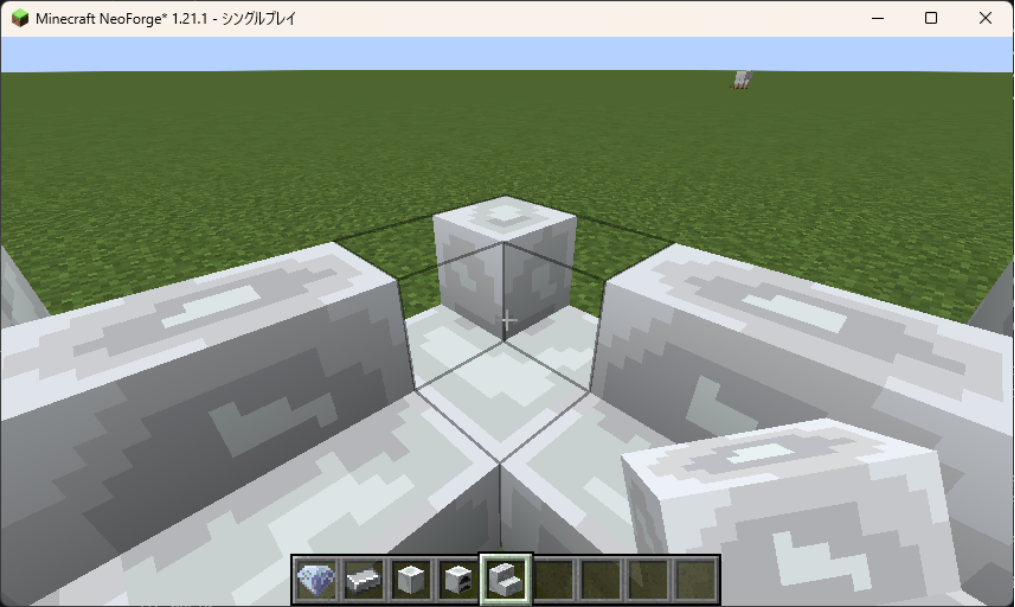
うーん、やっぱり!
名前ミス!
当たり判定はできていそうですね!
しかし肝心の見た目のモデルが違う方になっている。
これはモデルの作成時に「inner」と「outer」を逆につけてしまいましたね。
おいおい・・・。
まぁこれですべてを直すのは面倒なので、読み込むモデルだけ変更して対応しちゃいましょう。
"facing=north,half=bottom,shape=inner_left": { "model": "practicemymod:block/steel_stairs_outer" },
"facing=south,half=bottom,shape=inner_left": { "model": "practicemymod:block/steel_stairs_outer", "y": 180 },
"facing=west,half=bottom,shape=inner_left":  { "model": "practicemymod:block/steel_stairs_outer", "y": 270 },
"facing=east,half=bottom,shape=inner_left":  { "model": "practicemymod:block/steel_stairs_outer", "y": 90 },

"facing=north,half=bottom,shape=inner_right": { "model": "practicemymod:block/steel_stairs_outer" },
"facing=south,half=bottom,shape=inner_right": { "model": "practicemymod:block/steel_stairs_outer", "y": 180 },
"facing=west,half=bottom,shape=inner_right":  { "model": "practicemymod:block/steel_stairs_outer", "y": 270 },
"facing=east,half=bottom,shape=inner_right":  { "model": "practicemymod:block/steel_stairs_outer", "y": 90 }
こんな感じに修正。
それではテスト起動!
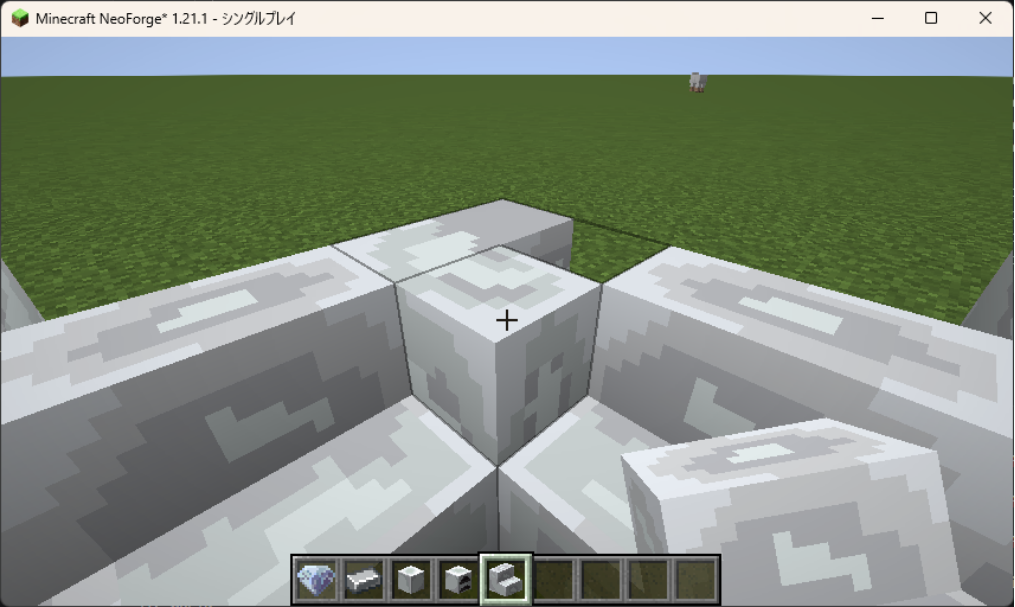
おいおいこれは面倒だぞ?
当たり判定と見た目がずれているぞ?
とりあえず角度だけ直せばいけるか・・・?
ということで修正。
"facing=north,half=bottom,shape=inner_left": { "model": "practicemymod:block/steel_stairs_outer", "y": 90 },
"facing=south,half=bottom,shape=inner_left": { "model": "practicemymod:block/steel_stairs_outer", "y": 270 },
"facing=west,half=bottom,shape=inner_left":  { "model": "practicemymod:block/steel_stairs_outer" },
"facing=east,half=bottom,shape=inner_left":  { "model": "practicemymod:block/steel_stairs_outer", "y": 180 },

"facing=north,half=bottom,shape=inner_right": { "model": "practicemymod:block/steel_stairs_outer", "y": 90 },
"facing=south,half=bottom,shape=inner_right": { "model": "practicemymod:block/steel_stairs_outer", "y": 270 },
"facing=west,half=bottom,shape=inner_right":  { "model": "practicemymod:block/steel_stairs_outer" },
"facing=east,half=bottom,shape=inner_right":  { "model": "practicemymod:block/steel_stairs_outer", "y": 180 }
そしてテスト起動。
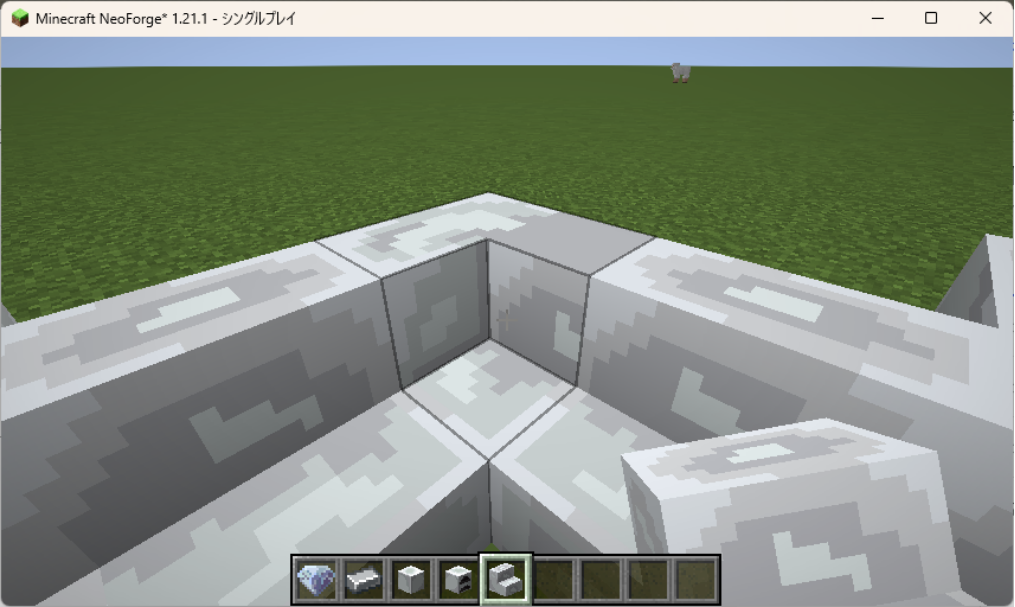
行けた!
当たり判定も良さそうですね!
ですが・・・
左は右回りに置いたとき。右は左回りに置いたとき。
つまり左は「inner_right」が反応した時、右は「inner_left」が反応した時。
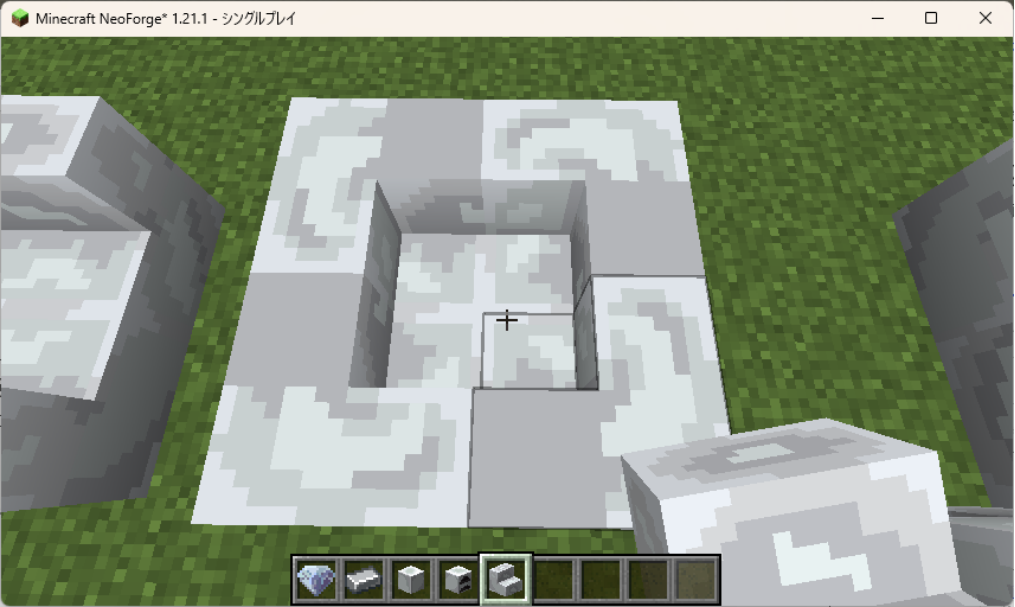
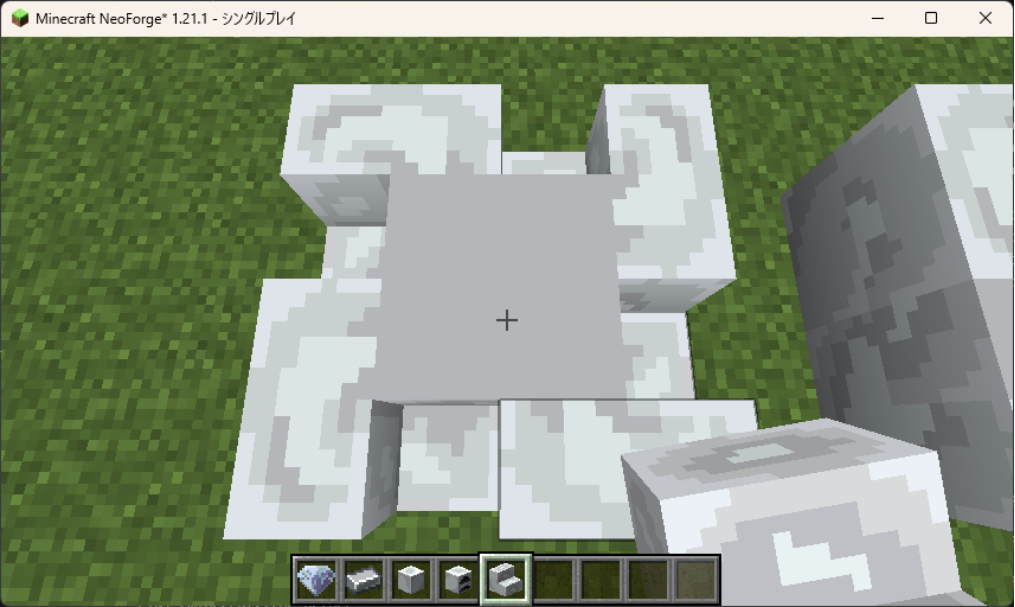
おかしいのは「inner_left」の方なので、それを修正。
"facing=north,half=bottom,shape=inner_left": { "model": "practicemymod:block/steel_stairs_outer" },
"facing=south,half=bottom,shape=inner_left": { "model": "practicemymod:block/steel_stairs_outer", "y": 180 },
"facing=west,half=bottom,shape=inner_left":  { "model": "practicemymod:block/steel_stairs_outer", "y": 270 },
"facing=east,half=bottom,shape=inner_left":  { "model": "practicemymod:block/steel_stairs_outer", "y": 90 },

"facing=north,half=bottom,shape=inner_right": { "model": "practicemymod:block/steel_stairs_outer", "y": 90 },
"facing=south,half=bottom,shape=inner_right": { "model": "practicemymod:block/steel_stairs_outer", "y": 270 },
"facing=west,half=bottom,shape=inner_right":  { "model": "practicemymod:block/steel_stairs_outer" },
"facing=east,half=bottom,shape=inner_right":  { "model": "practicemymod:block/steel_stairs_outer", "y": 180 }
これにして再テスト起動。
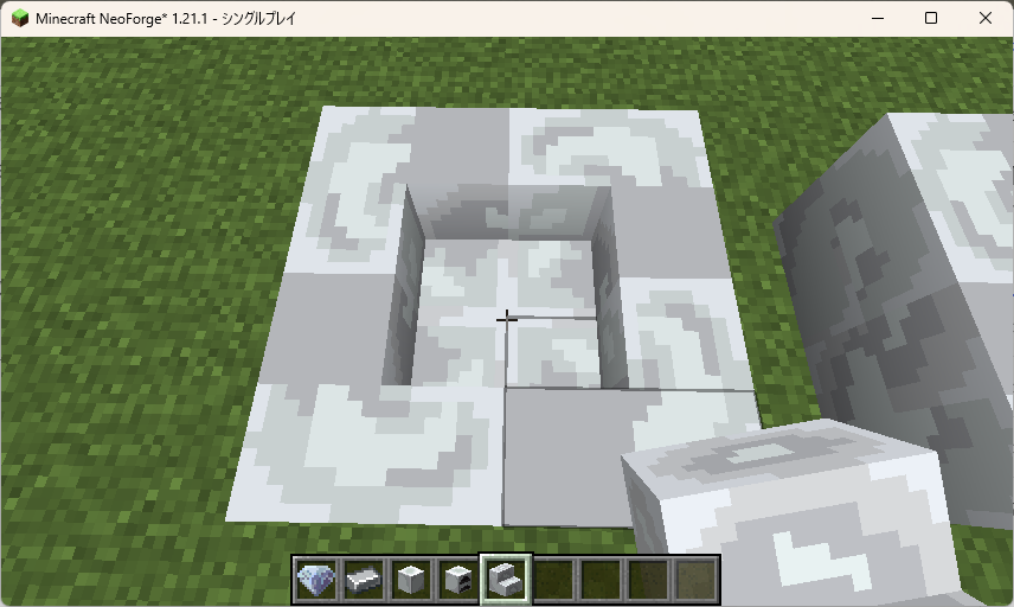
できました!
こんな感じで方向修正をかけながら修正と追加を重ねた結果・・・。
いかが最終コードです。
{
  "variants": {
    "facing=north,half=bottom,shape=straight": { "model": "practicemymod:block/steel_stairs" },
    "facing=south,half=bottom,shape=straight": { "model": "practicemymod:block/steel_stairs", "y": 180 },
    "facing=west,half=bottom,shape=straight":  { "model": "practicemymod:block/steel_stairs", "y": 270 },
    "facing=east,half=bottom,shape=straight":  { "model": "practicemymod:block/steel_stairs", "y": 90 },

    "facing=north,half=top,shape=straight": { "model": "practicemymod:block/steel_stairs", "x": 180, "y": 180 },
    "facing=south,half=top,shape=straight": { "model": "practicemymod:block/steel_stairs", "x": 180 },
    "facing=west,half=top,shape=straight":  { "model": "practicemymod:block/steel_stairs", "x": 180, "y": 90 },
    "facing=east,half=top,shape=straight":  { "model": "practicemymod:block/steel_stairs", "x": 180, "y": 270 },

    "facing=north,half=bottom,shape=inner_left": { "model": "practicemymod:block/steel_stairs_outer" },
    "facing=south,half=bottom,shape=inner_left": { "model": "practicemymod:block/steel_stairs_outer", "y": 180 },
    "facing=west,half=bottom,shape=inner_left":  { "model": "practicemymod:block/steel_stairs_outer", "y": 270 },
    "facing=east,half=bottom,shape=inner_left":  { "model": "practicemymod:block/steel_stairs_outer", "y": 90 },

    "facing=north,half=bottom,shape=inner_right": { "model": "practicemymod:block/steel_stairs_outer", "y": 90 },
    "facing=south,half=bottom,shape=inner_right": { "model": "practicemymod:block/steel_stairs_outer", "y": 270 },
    "facing=west,half=bottom,shape=inner_right":  { "model": "practicemymod:block/steel_stairs_outer" },
    "facing=east,half=bottom,shape=inner_right":  { "model": "practicemymod:block/steel_stairs_outer", "y": 180 },

    "facing=north,half=top,shape=inner_left": { "model": "practicemymod:block/steel_stairs_outer", "x": 180, "y": 90 },
    "facing=south,half=top,shape=inner_left": { "model": "practicemymod:block/steel_stairs_outer", "x": 180, "y": 270 },
    "facing=west,half=top,shape=inner_left":  { "model": "practicemymod:block/steel_stairs_outer", "x": 180 },
    "facing=east,half=top,shape=inner_left":  { "model": "practicemymod:block/steel_stairs_outer", "x": 180, "y": 180 },

    "facing=north,half=top,shape=inner_right": { "model": "practicemymod:block/steel_stairs_outer", "x": 180, "y": 180 },
    "facing=south,half=top,shape=inner_right": { "model": "practicemymod:block/steel_stairs_outer", "x": 180 },
    "facing=west,half=top,shape=inner_right":  { "model": "practicemymod:block/steel_stairs_outer", "x": 180, "y": 90 },
    "facing=east,half=top,shape=inner_right":  { "model": "practicemymod:block/steel_stairs_outer", "x": 180, "y": 270 },

    "facing=north,half=bottom,shape=outer_left": { "model": "practicemymod:block/steel_stairs_inner", "y": 270 },
    "facing=south,half=bottom,shape=outer_left": { "model": "practicemymod:block/steel_stairs_inner", "y": 90 },
    "facing=west,half=bottom,shape=outer_left":  { "model": "practicemymod:block/steel_stairs_inner", "y": 180 },
    "facing=east,half=bottom,shape=outer_left":  { "model": "practicemymod:block/steel_stairs_inner" },

    "facing=north,half=bottom,shape=outer_right": { "model": "practicemymod:block/steel_stairs_inner" },
    "facing=south,half=bottom,shape=outer_right": { "model": "practicemymod:block/steel_stairs_inner", "y": 180 },
    "facing=west,half=bottom,shape=outer_right":  { "model": "practicemymod:block/steel_stairs_inner", "y": 270 },
    "facing=east,half=bottom,shape=outer_right":  { "model": "practicemymod:block/steel_stairs_inner", "y": 90 },

    "facing=north,half=top,shape=outer_left": { "model": "practicemymod:block/steel_stairs_inner", "x": 180, "y": 180 },
    "facing=south,half=top,shape=outer_left": { "model": "practicemymod:block/steel_stairs_inner", "x": 180 },
    "facing=west,half=top,shape=outer_left":  { "model": "practicemymod:block/steel_stairs_inner", "x": 180, "y": 90 },
    "facing=east,half=top,shape=outer_left":  { "model": "practicemymod:block/steel_stairs_inner", "x": 180, "y": 270 },

    "facing=north,half=top,shape=outer_right": { "model": "practicemymod:block/steel_stairs_inner", "x": 180, "y": 270 },
    "facing=south,half=top,shape=outer_right": { "model": "practicemymod:block/steel_stairs_inner", "x": 180, "y": 90 },
    "facing=west,half=top,shape=outer_right":  { "model": "practicemymod:block/steel_stairs_inner", "x": 180, "y": 180 },
    "facing=east,half=top,shape=outer_right":  { "model": "practicemymod:block/steel_stairs_inner", "x": 180 }
  }
}
無事に見た目はできました!
ここで終わりかと思いきや・・・。
なんか変な当たり判定になってるんですよね~。
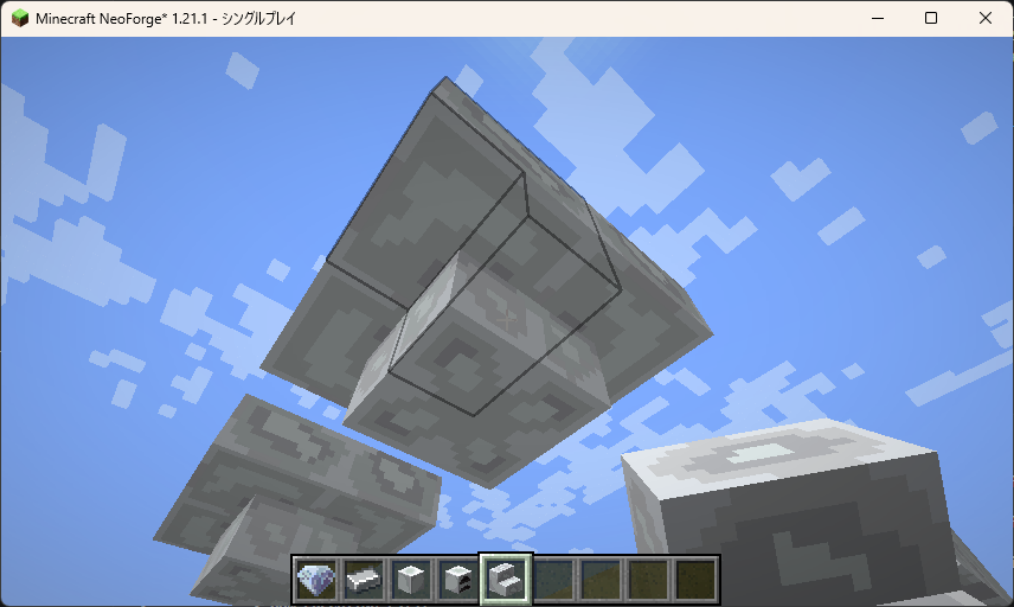
というわけで当たり判定のコードの修正に向かいます。
おそらく「StairVoxelShapeFeature.java」の問題でしょう。
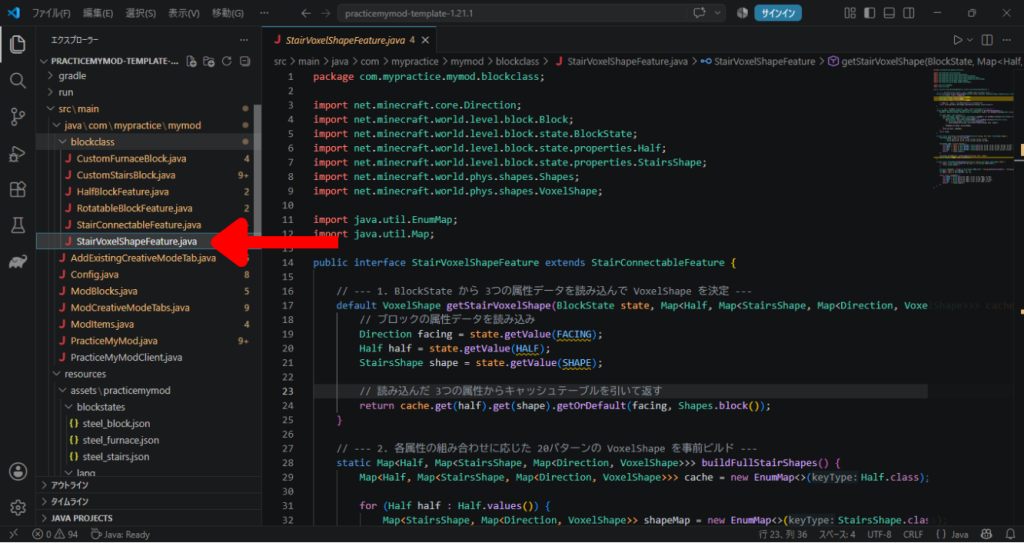
今回は大規模編集です。
そもそもの当たり判定を算出する方法から変えたので、ほぼ全とっかえです。
package com.mypractice.mymod.blockclass;

import net.minecraft.core.Direction;
import net.minecraft.world.level.block.Block;
import net.minecraft.world.level.block.state.BlockState;
import net.minecraft.world.level.block.state.properties.Half;
import net.minecraft.world.level.block.state.properties.StairsShape;
import net.minecraft.world.phys.shapes.Shapes;
import net.minecraft.world.phys.shapes.VoxelShape;

import java.util.EnumMap;
import java.util.Map;

public interface StairVoxelShapeFeature extends StairConnectableFeature {

    // --- 1. BlockState から 3つの属性データを読み込んで VoxelShape を決定 ---
    default VoxelShape getStairVoxelShape(BlockState state, Map<Half, Map<StairsShape, Map<Direction, VoxelShape>>> cache) {
        Direction facing = state.getValue(FACING);
        Half half = state.getValue(HALF);
        StairsShape shape = state.getValue(SHAPE);

        return cache.get(half).get(shape).getOrDefault(facing, Shapes.block());
    }

    // --- 2. 各属性の組み合わせに応じた VoxelShape を事前ビルド ---
    static Map<Half, Map<StairsShape, Map<Direction, VoxelShape>>> buildFullStairShapes() {
        Map<Half, Map<StairsShape, Map<Direction, VoxelShape>>> cache = new EnumMap<>(Half.class);

        for (Half half : Half.values()) {
            Map<StairsShape, Map<Direction, VoxelShape>> shapeMap = new EnumMap<>(StairsShape.class);
            for (StairsShape shape : StairsShape.values()) {
                Map<Direction, VoxelShape> directionMap = new EnumMap<>(Direction.class);
                for (Direction facing : Direction.Plane.HORIZONTAL) {
                    directionMap.put(facing, calculateFullShape(facing, half, shape));
                }
                shapeMap.put(shape, directionMap);
            }
            cache.put(half, shapeMap);
        }
        return cache;
    }

    private static VoxelShape calculateFullShape(Direction facing, Half half, StairsShape shape) {
        // 土台(BOTTOMなら下半分 Y:0~8、TOPなら上半分 Y:8~16)
        VoxelShape base = (half == Half.BOTTOM)
                ? Block.box(0, 0, 0, 16, 8, 16)
                : Block.box(0, 8, 0, 16, 16, 16);

        // 1段上のステップ部分
        VoxelShape topStep = getStepShape(facing, half, shape);

        return Shapes.or(base, topStep);
    }

    private static VoxelShape getStepShape(Direction facing, Half half, StairsShape shape) {
        int yMin = (half == Half.BOTTOM) ? 8 : 0;
        int yMax = (half == Half.BOTTOM) ? 16 : 8;

        // --- 四隅の 1/4 ブロックを構築するローカルヘルパー ---
        // 北西: X(0-8), Z(0-8) / 北東: X(8-16), Z(0-8)
        // 南西: X(0-8), Z(8-16) / 南東: X(8-16), Z(8-16)
        VoxelShape nw = Block.box(0, yMin, 0, 8, yMax, 8);
        VoxelShape ne = Block.box(8, yMin, 0, 16, yMax, 8);
        VoxelShape sw = Block.box(0, yMin, 8, 8, yMax, 16);
        VoxelShape se = Block.box(8, yMin, 8, 16, yMax, 16);

        // --- A. OUTER(外角:四隅のうち1つだけが突き出る) ---
        if (shape == StairsShape.OUTER_LEFT) {
            return switch (facing) {
                case NORTH -> se;
                case SOUTH -> nw;
                case WEST  -> ne;
                case EAST  -> sw;
                default    -> Shapes.empty();
            };
        }

        if (shape == StairsShape.OUTER_RIGHT) {
            return switch (facing) {
                case NORTH -> se;
                case SOUTH -> nw;
                case WEST  -> ne;
                case EAST  -> sw;
                default    -> Shapes.empty();
            };
        }

        // --- B. STRAIGHT(直線:半分[2ブロック分]が突き出る) ---
        VoxelShape mainStep = switch (facing) {
            case NORTH -> Shapes.or(sw, se); // 南側(Z:8~16)
            case SOUTH -> Shapes.or(nw, ne); // 北側(Z:0~8)
            case WEST  -> Shapes.or(ne, se); // 東側(X:8~16)
            case EAST  -> Shapes.or(nw, sw); // 西側(X:0~8)
            default    -> Shapes.empty();
        };

        // --- C. INNER(内角:半分のメインステップ + 追加入口の角1つ) ---
        if (shape == StairsShape.INNER_LEFT) {
            VoxelShape extra = switch (facing) {
                case NORTH -> ne;
                case SOUTH -> sw;
                case WEST  -> nw;
                case EAST  -> se;
                default    -> Shapes.empty();
            };
            return Shapes.or(mainStep, extra);
        }

        if (shape == StairsShape.INNER_RIGHT) {
            VoxelShape extra = switch (facing) {
                case NORTH -> nw;
                case SOUTH -> se;
                case WEST  -> sw;
                case EAST  -> ne;
                default    -> Shapes.empty();
            };
            return Shapes.or(mainStep, extra);
        }

        return mainStep;
    }
}
これにコードを変えて実行すると・・・
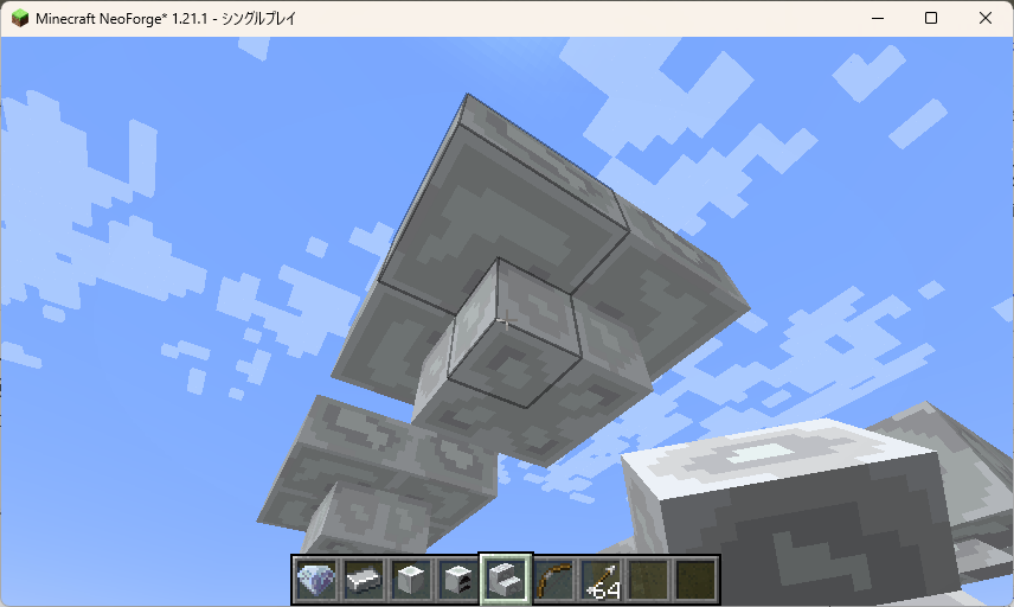
当たり判定がちゃんとしました!
このコードについての説明もしたいんですが、ちょっと今回は長すぎるので、希望があればまた別の機会に・・・
おわりに&次回予告
いかがだったでしょうか?
応用編になっていきなり難しいな、とちょっと心が折れかけている方がいるかもしれません。
正直私も難しい・・・。
でも「これが作れるとさらに応用の幅が広がっていろんな要素がModで作れる!」という部分に焦点を当てて、応用編はやっていこうと思います。
なので最初は応用編は飛ばして基礎編だけやって、後で応用編に戻ってくる、でも全然問題ないように今後も記事を書いていこうかなと思っています。
なので基礎編では次回はUI関係の話になるかな?
応用編の次回は2ブロック分の大きさがあるブロックの設定かな?
そんな感じで進めていきたいですね。
今回のを全部理解しようとすると頭がオーバーヒートしますので、適度に、見返しながらやればいいやの心持ちで行きましょう。
(さすがに全部は覚えられん)
まずは読んでくださった方、ありがとうございました。
そしてお疲れ様です。
ということで今回は以上になります。
次回もお楽しみに!
コメント